Hardware Setup
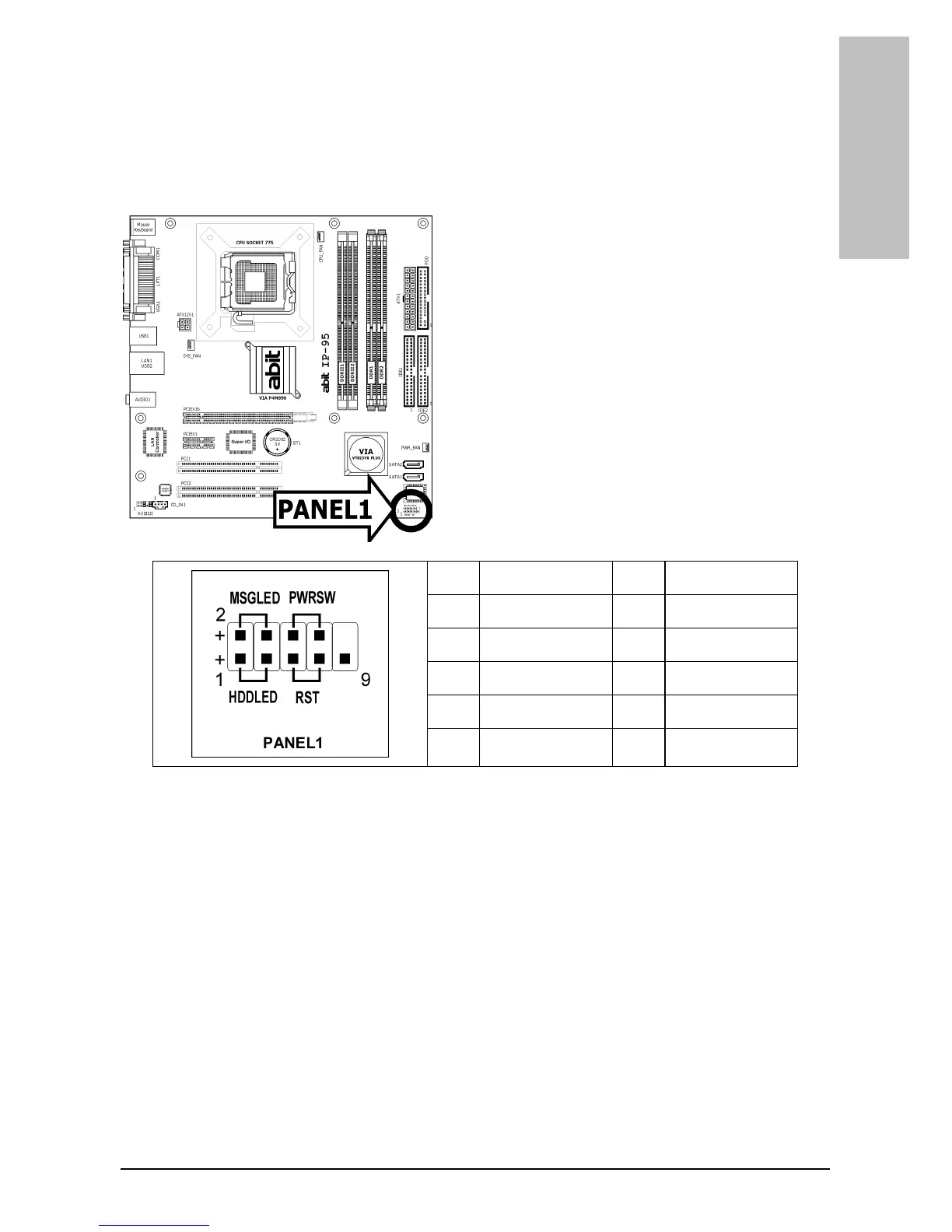
1.6.2 Front Panel Switches & Indicators Headers
This header is used for connecting switches and LED indicators on the chassis front panel.
Watch the power LED pin position and orientation. The mark “+” align to the pin in the figure
below stands for positive polarity for the LED connection. Please pay attention when connecting
these headers. A wrong orientation will only cause the LED not lighting, but a wrong connection
of the switches could cause system malfunction.
Pin Definition Pin Definition
1 HD LED + 2 Message LED +
3 HD LED - 4 Message LED -
5 RESET 6 Power Switch
7 RESET 8 Power Switch
9 Reserved
IP-95 1-7



 To Next Page