3.Getting Started
Before operation, install the battery and connect the system as instructed below.
3.1 Transmitter Battery Installation
Danger •
Danger • Do not open, disassemble, or attempt to repair the battery.
Danger • Do not crush/puncture the battery, or short the external contacts.
Danger • Do not expose to excessive heat or liquids.
Danger • Do not drop the battery or expose to strong shocks or vibrations.
Danger • Always store the battery in a cool, dry place.
Danger • Do not use the battery if damaged.
Battery Type: LR6 “AA” size or 2S Lipo rechargeable battery
Battery Installation:
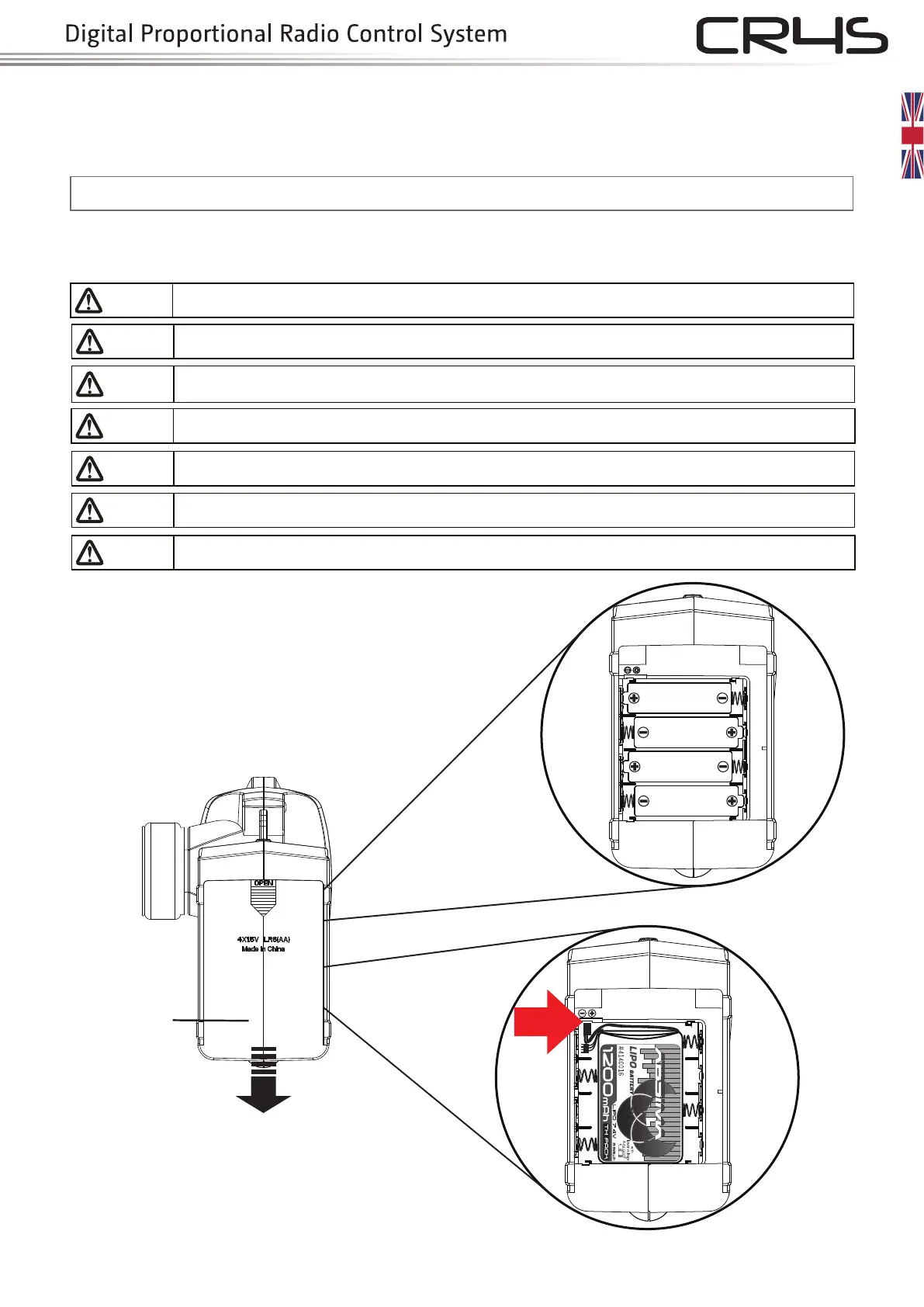
1. Open the battery compartment cover.
2. Insert 4 fully-charged “AA” batteries into the compartment.
Make sure that the battery makes good contact with the
battery compartment's contacts.
3.
Replace battery compartment cover.
Low battery alarm: When the battery is lower than 4.2v,
the G.LED on the panel will flash slowly.
Note: When installing the batteries, be careful to handle the
positive and negative poles. (As shown in the picture on the right)
Only use specified battery.
Battery cover
Slide to open
1.5V LR6 (AA)
1.5V LR6 (AA)
1.5V LR6 (AA)
1.5V LR6 (AA)
Plug-in
rechargeable battery
LR6 “AA” size
OR
Plug-in a 2S Lipo rechargeable battery (Absima’s
item no.4140016)


 To Next Page