Need help?
Do you have a question about the Absima CR7P and is the answer not in the manual?
Explains safety symbols and their meanings for warnings and attention.
Provides essential safety guidelines for product operation, prohibiting certain actions and mandating others.
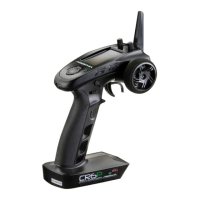
Details components and features of the CR7P transmitter with diagrams.
Covers R7FS receiver overview, status LED, interface, and antenna information.
Provides instructions and safety warnings for installing transmitter batteries.
Explains the method for installing the receiver and servos in the model.
Outlines steps for safely powering on the transmitter and receiver system.
Details the procedure for binding the CR7P transmitter to the R7FS receiver.
Explains configuration of transmitter LED status and audio feedback.
Guides on recalibrating transmitter control inputs for accuracy.
Explains how to reset all model data and transmitter settings to default.
Provides the correct procedure for safely powering off the receiver and transmitter.
Describes the primary display screen of the transmitter after power-on and its elements.
Explains how to navigate the main interface and access its sub-pages.
Introduces the 8 main categories of functions available in the transmitter's menu.
Details how to reverse the direction of servo or motor output for channels.
Explains how to adjust the travel amount (range) of servo output for each channel.
Describes how to set and adjust the neutral position (trim) for each channel.
Explains how to adjust channel output values for better manipulation via dual rate.
Details how to set output data curve adjustment for channels to change sensitivity.
Notes that the R7FS receiver does not support the SVC function.
Explains enabling beginner mode to limit channel output for easier driving.
Describes how to set control settings for auxiliary channels CH3 to CH7.
Introduces the mixing function for channels to act in conjunction, with programmable mixes.
Details special function mixing for steering, including TRACK and 4WS mixers.
Explains mixing output data of any channel to another for a desired effect.
Introduces the Timer menu, offering TIMER and LAP LIST functions.
Details the Timer function for timing races, countdowns, and usage time.
Describes Lap List display for viewing race times like fastest and average lap.
Explains assigning switches to functions for controlling actions via switches.
Introduces RX SET menu for receiver configurations like Failsafe, Bind, Range Test.
Details Failsafe safety setting to protect model and personnel during signal loss.
Explains parameters and procedure for binding the transmitter and receiver.
Guides on performing a range test to check remote controller functionality.
Describes how sensors provide feedback like voltage, signal intensity, and noise.
Explains ESC Settings for two-in-one ESCs, covering mode, battery type, drag brake.
Details the unique i-BUS serial communication protocol system and its setup.
Explains MODEL menu for managing up to 20 model data sets.
Lists six submenus in System Settings: system, calibration, update, reset, help, about.
Describes configuring transmitter settings like language, idle alarm, battery type.
Guides on restoring neutral positions and endpoints for transmitter controls.
Explains updating transmitter firmware using Absima Assistant software.
Details how to restore the entire transmitter system to its original factory settings.
Provides access to user manual via QR code and company contact information.
Displays system firmware and hardware information for maintenance reference.
Lists important safety precautions and considerations for using the R7FS receiver.
Refers to transmitter binding procedure, noting differences for receivers.
Explains updating receiver firmware using the Absima Assistant.
Details failsafe function for channel output protection during signal loss.
Lists detailed technical specifications for the CR7P transmitter.
Lists detailed technical specifications for the R7FS receiver.
Lists the items included in the product package: transmitter and receiver.
Outlines warranty conditions, exclusions, and claim procedures for Absima products.
States Absima GmbH's liability limitations regarding product use and operation.
Confirms product compliance with EU Directives and provides a link.
Provides instructions for environmentally responsible disposal of electronics and batteries.
 General
| Brand | Absima |
|---|---|
| Model | CR7P |
| Category | Remote Control |
| Language | English |

 To Next Page