7
5. System Interface
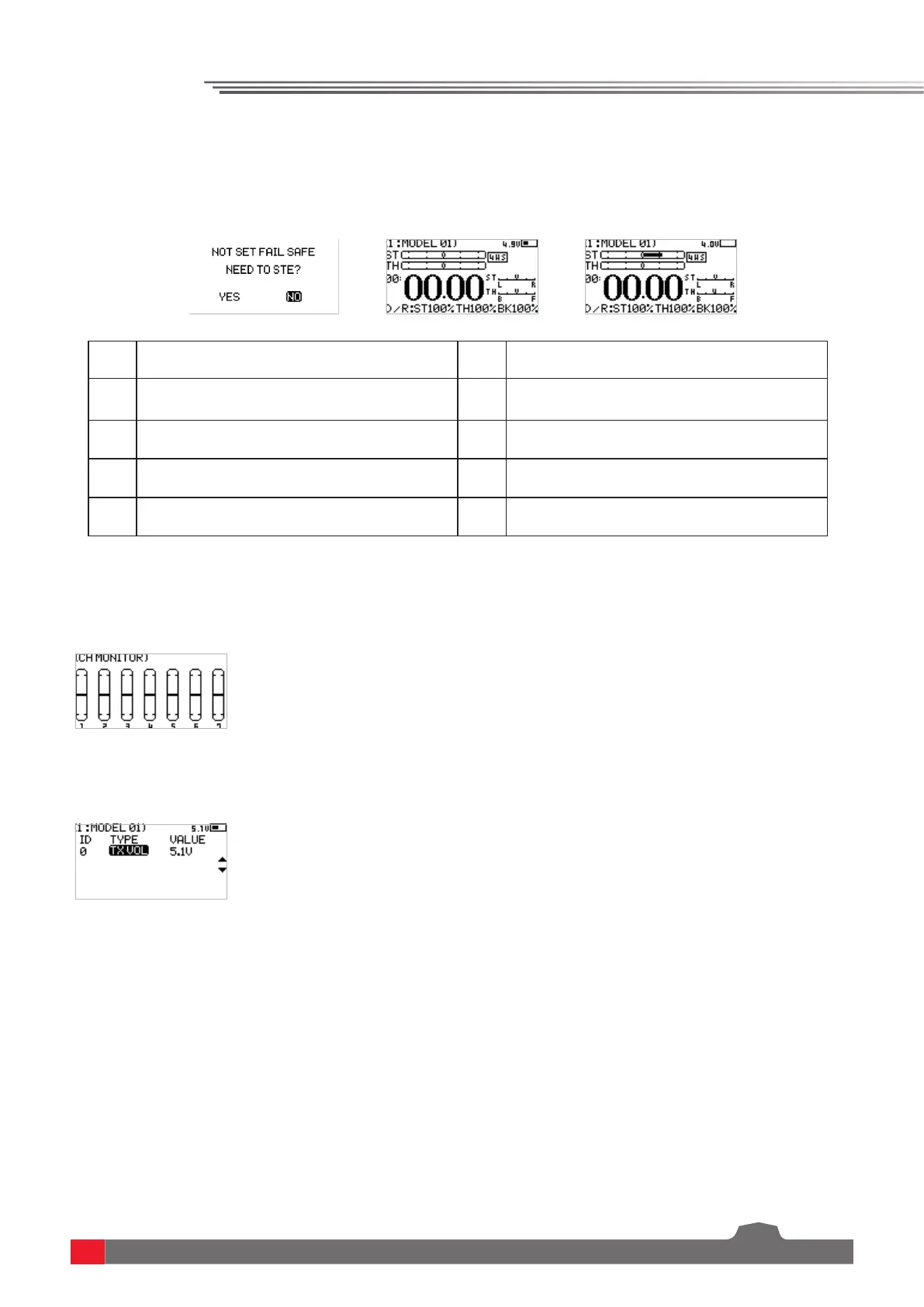
[1] Model name and number [6] Signal and strength
[2] Steering channel(ST) output display [7] Transmitter voltage and display
[3] Throttle channel(TH) output display [8] Direction trim display
[4] Timer [9] Throttle trim display
[5] DR output display
Main system interface
Enter the main system interface after power-on.
Sub-page 1
After power-on, enter the main system interface and press the UP key. Press the return key to
return to the main system interface.
Sub-page 2
After power-on, enter the main system interface and press the DOWN key. Press the return key
to return to the main system interface.



 To Next Page