CR7P
Digital Proportional Radio Control System
12
6.9 Mixes
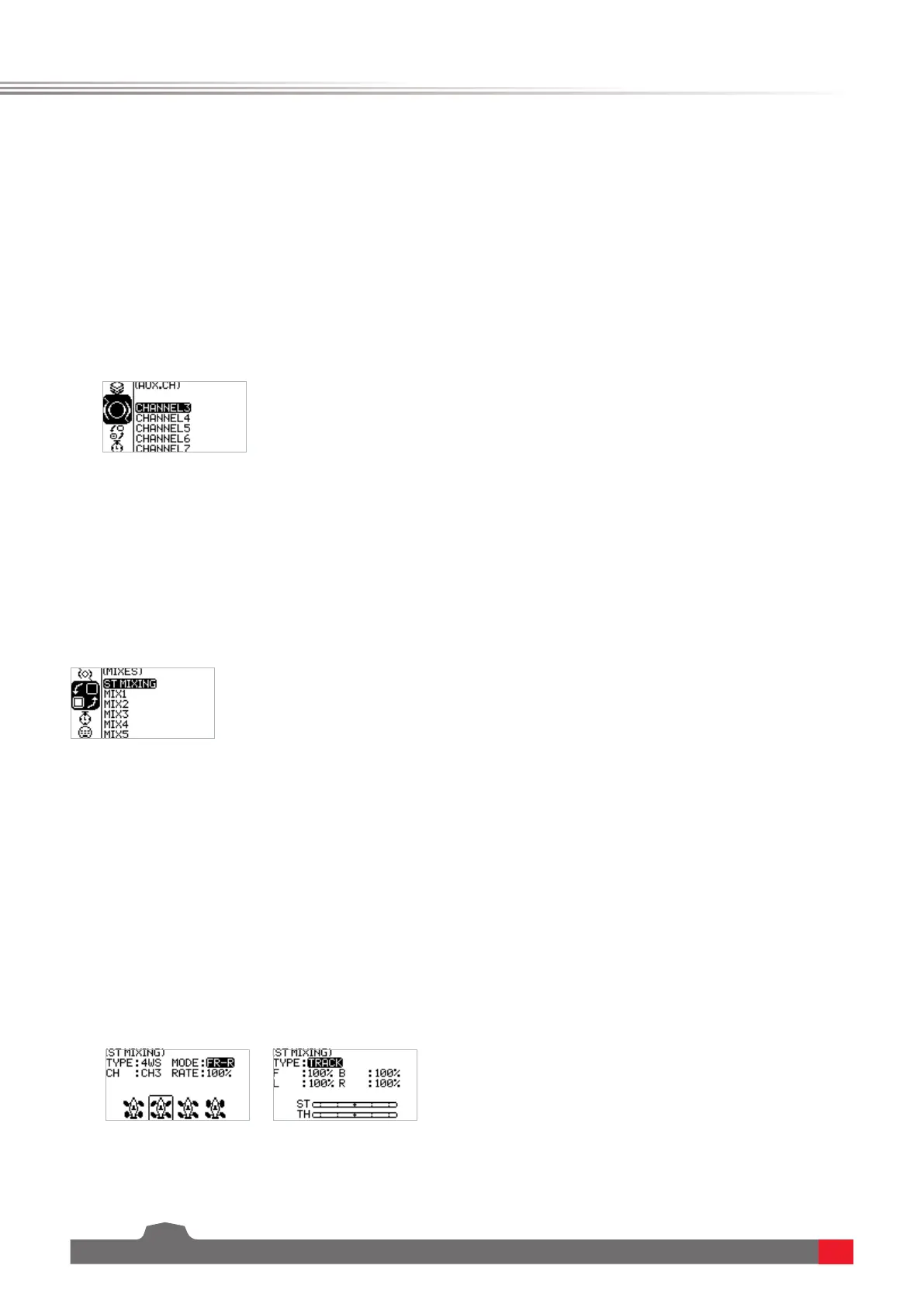
Mixes is enabled for some models that require two channels to act in conjunction with each other.
The Mixing channel function provides 1 steering mixes plus 5 programmable mixes.
Function settings:
In the main interface, press the OK key to enter the function menu. Select the MIXES menu by
pressing the UP/DOWN key, and press the OK key to enter the edit state.
6.10 Mixes - Steering Mixes
This is a special function mixing. The ST MIXING(Steering Mix) provides two types of mixing, that is,
TRACK(track-specific) mixer and 4WS mixer.
The 4WS mixer provides 4 different schemes for front and rear wheels to meet the different
requirement scenarios for different vehicles.
Function settings:
1. In the MIXES menu, select the ST MIXING and press the OK key.
2. Select the item you need to adjust by pressing the UP/DOWN key. Press the OK key to enter the
edit state. Then adjust it by pressing the UP/DOWN. Press return after adjustment.
3. Test the function to confirm that all channel outputs operate normally as expected.
6.8 Auxiliary Channels-CH3 to CH7
For some models with complex functions, we provide up to 7 channels of output, 5 of which are
auxiliary channels for the most effective control of multiple functions in different ways. The Auxiliary
Channels function is used to set the control settings for CH3 to CH7, assigning targeted controls to
the channels for operation.
Function settings:
1. In the AUX.CH menu, select CH3 to CH7 and press the OK key.
2. Select the item you need to adjust by pressing the UP/DOWN key. Press the OK key to enter the
edit state. Then adjust it by pressing the UP/DOWN. Press return after adjustment.
3. Test the function to confirm that all channel outputs operate normally as expected.



 To Next Page