– 46 –
LED
Signal: long yellow interval
(continuous)
Meaning: Networking mode (for
approx. 10 minutes)
Removing Assignment to a Radio Group,
Resetting RISA (restore factory settings)
If it is necessary to change the assign-
ment of an alarm to a particular radio
group, all stored information must be
deleted (i.e. the unit restored to factory
settings).
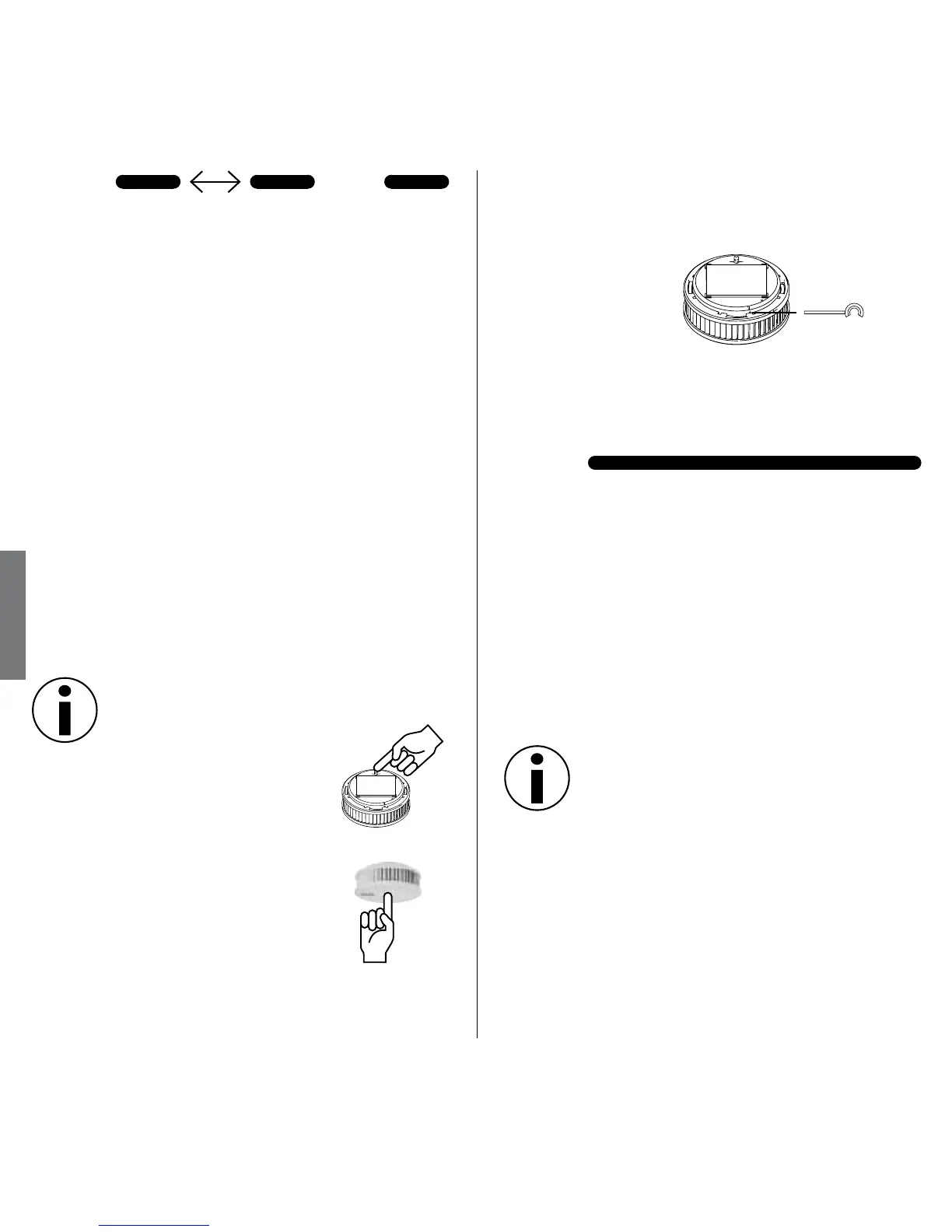
1. Pull out red activation
button
2. Press and hold Test/Stop
button 2 – 3 seconds
1 second
3. Press black activation pin into marked
opening and hold until LED lights
yellow
4. Pull back activation pin, then:
LED
Signal: green steady signal
Meaning: Reset successful, alarm
restored to factory settings
Setting up a Common Radio Group
Example:
One radio group is initially installed
described.
3 seconds
Netword setup


 To Next Page