74
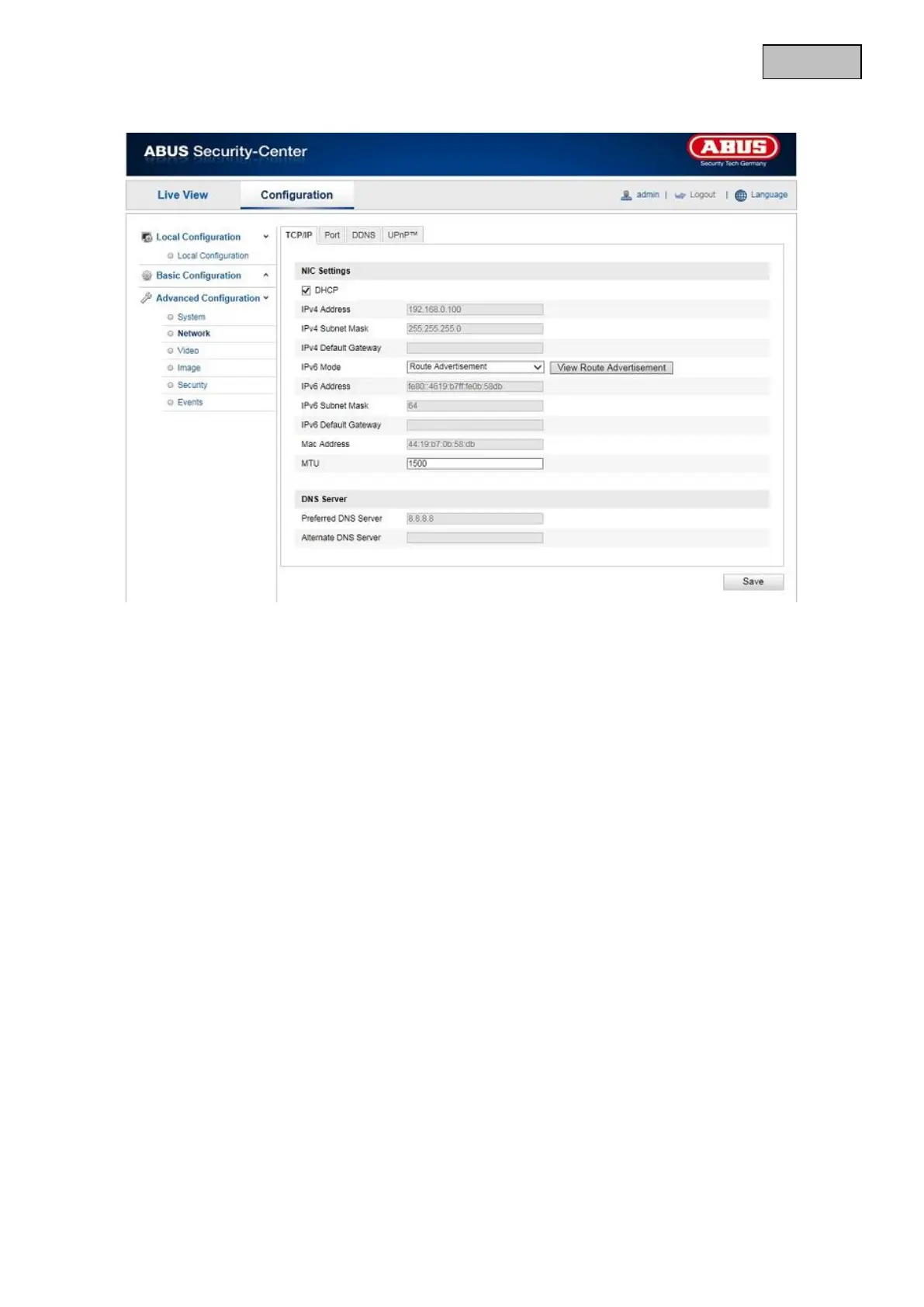
12.3.2.1 TCP/IP
To be able to operate the camera via a network, the TCP/IP settings must be configured correctly.
DHCP
If a DHCP server is available, click DHCP to apply an IP address and other network settings automatically.
The data is transferred automatically from the server and cannot be changed manually.
If no DHCP server is available, please enter the following data manually.
IPv4 Address
Setting for the IP address of the networkcamera
IPv4 Subnet Mask
Manual setting of the subnet address for the network camera
IPv4 Default Gateway
Setting for the default router for the network camera
IPv6 mode
Manual: Manual configuration of IPv6 data
DHCP: The IPv6 connection data is provided by the DHCP server (router).
Route advertisement: The IPv6 connection data is provided by the DHCP server (router) in connection with
the ISP (Internet Service Provider).
IPv6 address
Display of the IPv6 address. The address can be configured in the IPv6 “Manual” mode.
IPv6 Subnet Mask
Display of the IPv6 Subnet Mask
IPv6 Default Gateway
Display of the IPv6 Standard Gateway (standard router)



 To Next Page
 Loading...










