75
MAC Address
The IPv4 hardware address of the camera is displayed here. You cannot change it.
MTU
Setting for the transmission unit. Select a value between 500 – 9676. 1500 is set by default.
DNS Server
Preferred DNS Server
DNS server settings are required for some applications (for example, sending e-mails). Enter the address
of the preferred DNS server here.
Alternate DNS Server
If the preferred DNS server cannot be reached, this alternative DNS server is used. Please store the
address of the alternate DNS server here.
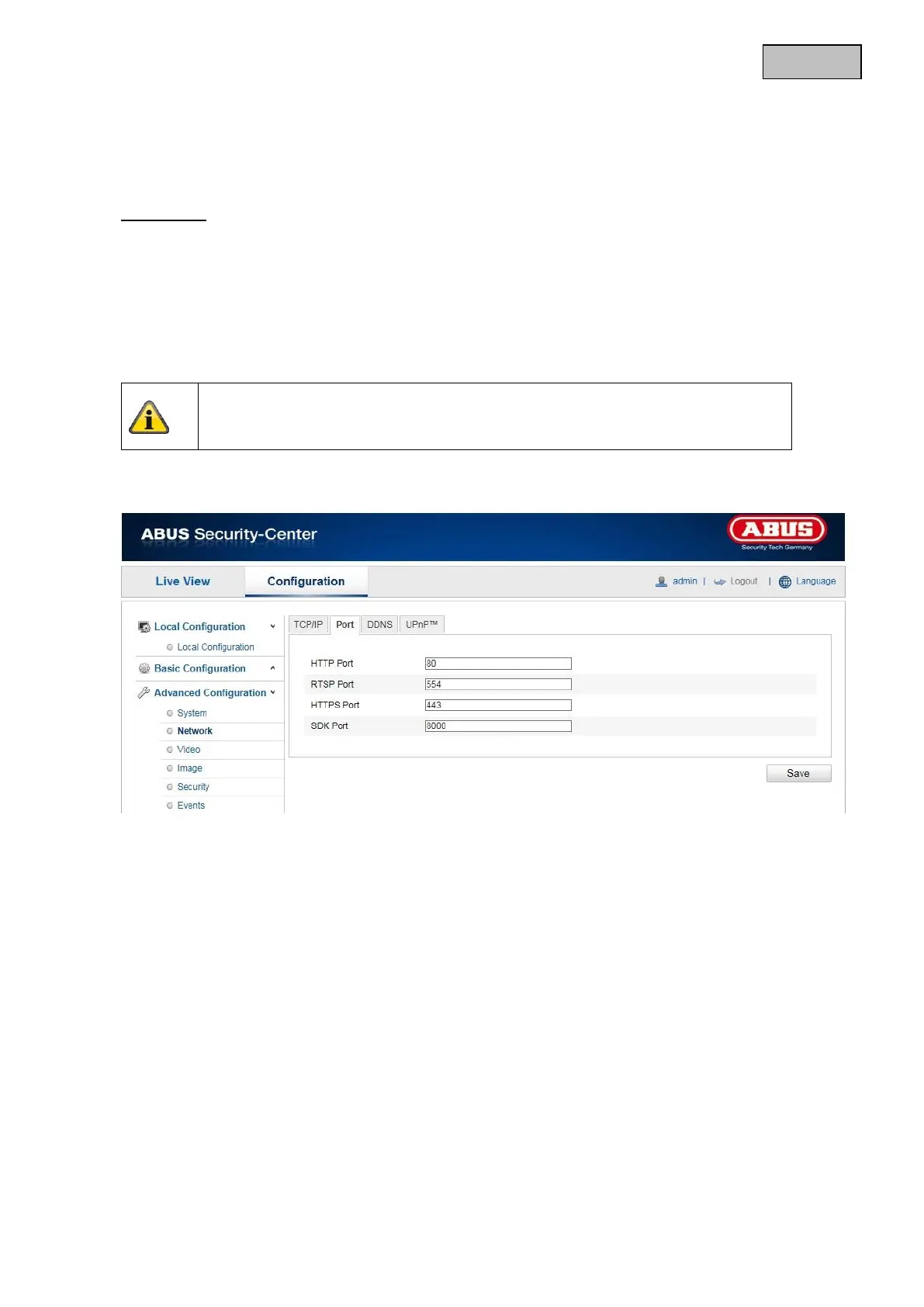
12.3.2.2 Port
If you wish to enable external access to the Speed Dome, the following ports must be configured.
HTTP Port
The standard port for HTTP transmission is 80. As an alternative, this port can be assigned a value in the
range of 1024 ~ 65535. If several network cameras are connected in the same subnetwork, then each
camera should be given a unique HTTP port of its own.
RTSP Port
The standard port for RTSP transmission is 554. As an alternative, this port can be assigned a value in the
range of 1024 ~ 65535. If several network camera are connected in the same subnetwork, then each
camera should be given a unique RTSP port of its own.
HTTPS port
The standard port for HTTPS transmission is 443.
Apply the settings made with “Save”.


 To Next Page
 Loading...











