31
PROGRAMMING
CONTROLLER SETTINGS
Pressing the setting button will cycle through the controller’s available settings: °F / °C, CALIB. T° / H% /
kPa, and LEAF OFFSET.
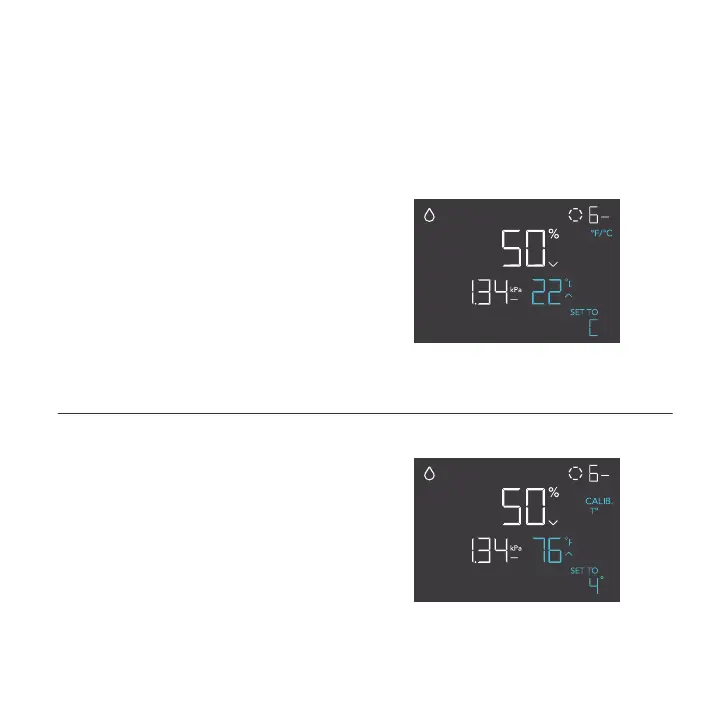
°F/°C SETTING
Changes the displayed units to Fahrenheit
or Celsius. Press the up or down button to
cycle through F and C. All displayed units will
automatically convert when adjusting this setting.
Screen shown: CLOUDFORGE T3
CALIBRATION TEMPERATURE SETTING
Adjusts the temperature reading the sensor
probe is measuring. Press the up or down button
to increase or decrease the data figure in 1°
increments. The calibration cycle ranges from
-20°F to 20°F (or -10°C to 10°C) and will be
applied to the sensor probe’s measurements.
Screen shown: CLOUDFORGE T3


 To Next Page