25
PROGRAMMING
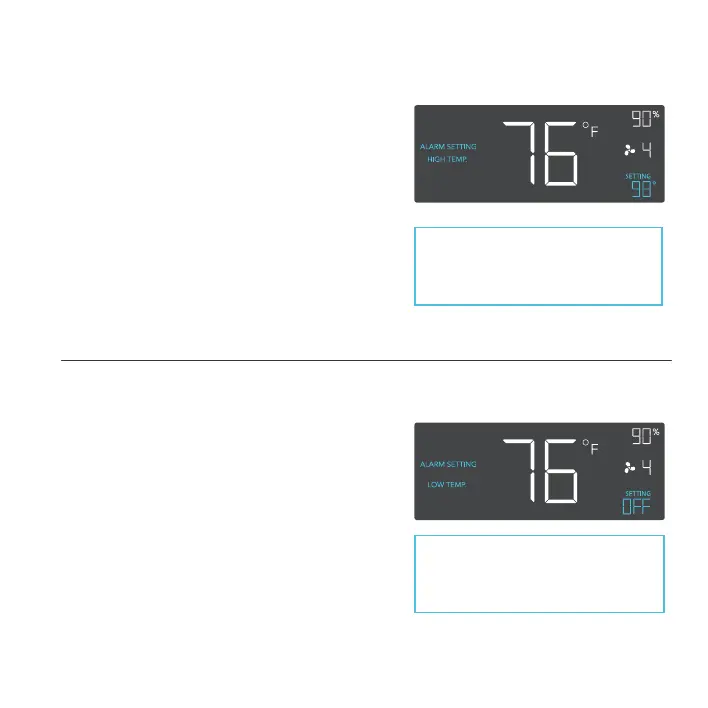
ALARM SETTING: HIGH TEMP.
In this settings mode, press the up and down
button to set a high temperature alarm. The
alarm will activate if the probe’s measured
temperature exceeds the temperature you have
set in this mode. When the alarm triggers, the
fan will start spinning gradually to max speed
regardless of your other settings. You may also
hold the up and down button simultaneously
to turn off this alarm, in which the digits under
settings will show OFF. You will need to be in
AUTO, ON, or TIMER mode for this alarm to be
able to activate.
ALARM SETTING: LOW TEMP.
In this settings mode, press the up and down
button to set a low temperature alarm. The
alarm will activate if the probe’s measured
temperature falls below the temperature
you have set in this mode. When the alarm
triggers, the fan will start spinning gradually to
max speed regardless of your other settings.
You may also hold the up and down button
simultaneously to turn off this alarm, in which
the digits under settings will show OFF. You will
need to be in AUTO, ON, or TIMER mode for
this alarm to be able to activate.
Note that alarm triggers can only
activate in AUTO, ON, or TIMER
Mode. Please leave ALARM
SETTING to arm the controller.
Note that alarm triggers can only
activate in AUTO, ON, or TIMER
Mode. Please leave ALARM
SETTING to arm the controller.



 To Next Page