23
PROGRAMMING
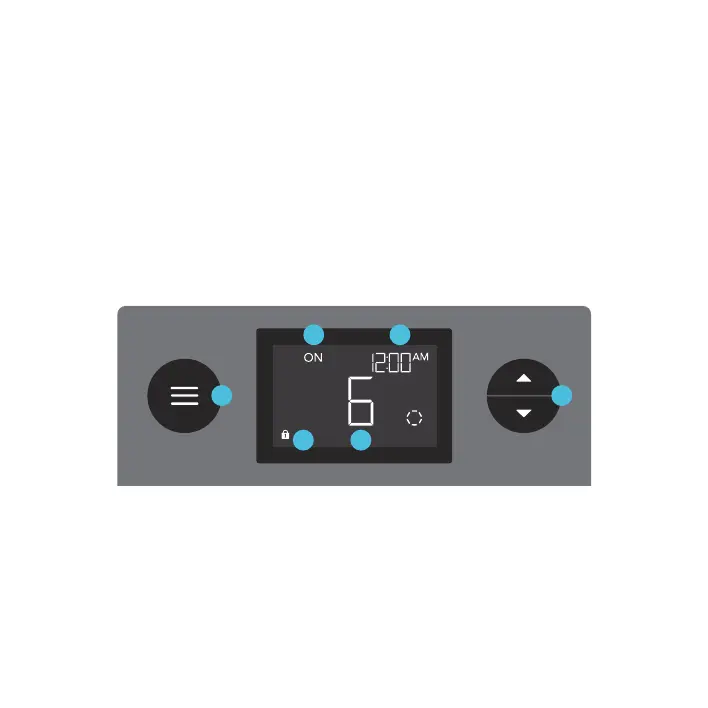
1. MODE BUTTON
Cycles through each of the
controller modes: OFF, ON,
SCHEDULE, and CLOCK.
Holding this button will lock the
controller; pressing this button
afterwards will turn off the display.
4. USER SETTING
Displays the grow light's
intensity level as well as
countdown timers of the
SCHEDULE modes.
5. CONTROLLER MODE
Displays the controller's
current mode. Pressing the
mode button cycles through
the available modes.
2. UP/DOWN BUTTON
Adjusts the setting of
your current mode.
3. CURRENT TIME
Displays the current
time. The internal
battery sustains the
clock so it does not
default to 00:00 if
power is cut off.
6. LOCK ICON
Displays the
controller lock status
of the controller.
6 4
1 2
35



 To Next Page