Page 11
PROGRAMM ING
SmartTouch Digital comes with factory settings. Programming the
SmartTouch controller is optional. The following options are
necessary only if you have certain requirements or you need to
custom program the filtration and heating cycles.
Parameter Programming is a means by which the spa owner
/ user can change the various timing elements and calibrate
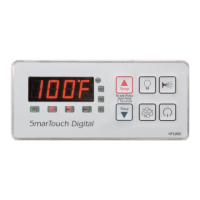
temperature. The process is simple and intuitive. Only 3 keys are
used: UP, DOWN, and SET. To program one or more parameters
follow the outlined this procedure:
1. Press SET and DOWN keys together. The first message
in the menu, FP1 will be displayed.
2. Use the UP & DOWN keys to scroll thru the messages
in the menu.
3. Press the SET key to display the current value
associated with the current message.
4. Use UP or DOWN keys to increase or decrease the value.
5. Press SET to lock in the new value and return to menu.
6. If another item needs programming go to number 2 above.
7. To Save changes scroll to message SEND and press SET.
8. To discard changes and restore previous values scroll
to message CANC and press SET.
The menu of the parameters is circular. Scrolling is from first to
last or from last to first.
When in programming mode please note that this mode will be
cancelled if there is no key activity for a period of 60 consecutive
seconds. Programming mode is aborted and all changes will be
restored to previous values.
On the following page is an example of how to program a
filtration period. When in programming mode you may program
as many parameters as needed.



 To Next Page