15
a) Cleaning of optical sensors
It is important to periodically clean the optical sensors to prevent particles of
paper or dust adhering to them.
b) Internal cleaning of the unit
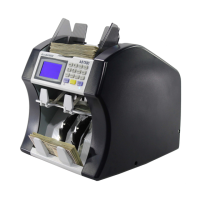
It is necessary to clean the interior of the unit once a month or when necessary.
Turn off and unplug the machine before proceeding with this operation. Open
the top cover of the unit to have better access to the optical and magnetic
sensors. (Page 8)
Use a soft brush to help remove debris and dust from inside the unit.
Use compressed air to remove dust from inside.
Use an alcohol swab (Cleaning Swabs) to remove dust particles adhering to the
magnetic heads.
c) Additional recommendations.
The equipment needs to be in a clean, dust free environment.
Solution to Operational Problems
cont.
4.2 Maintenance
CAUTION: Before performing any cleaning process, turn off the equipment and unplug it.
Please note that problems or defects caused by lack of maintenance are not covered under the
warranty.



 To Next Page