2. Peripheral Device Installation
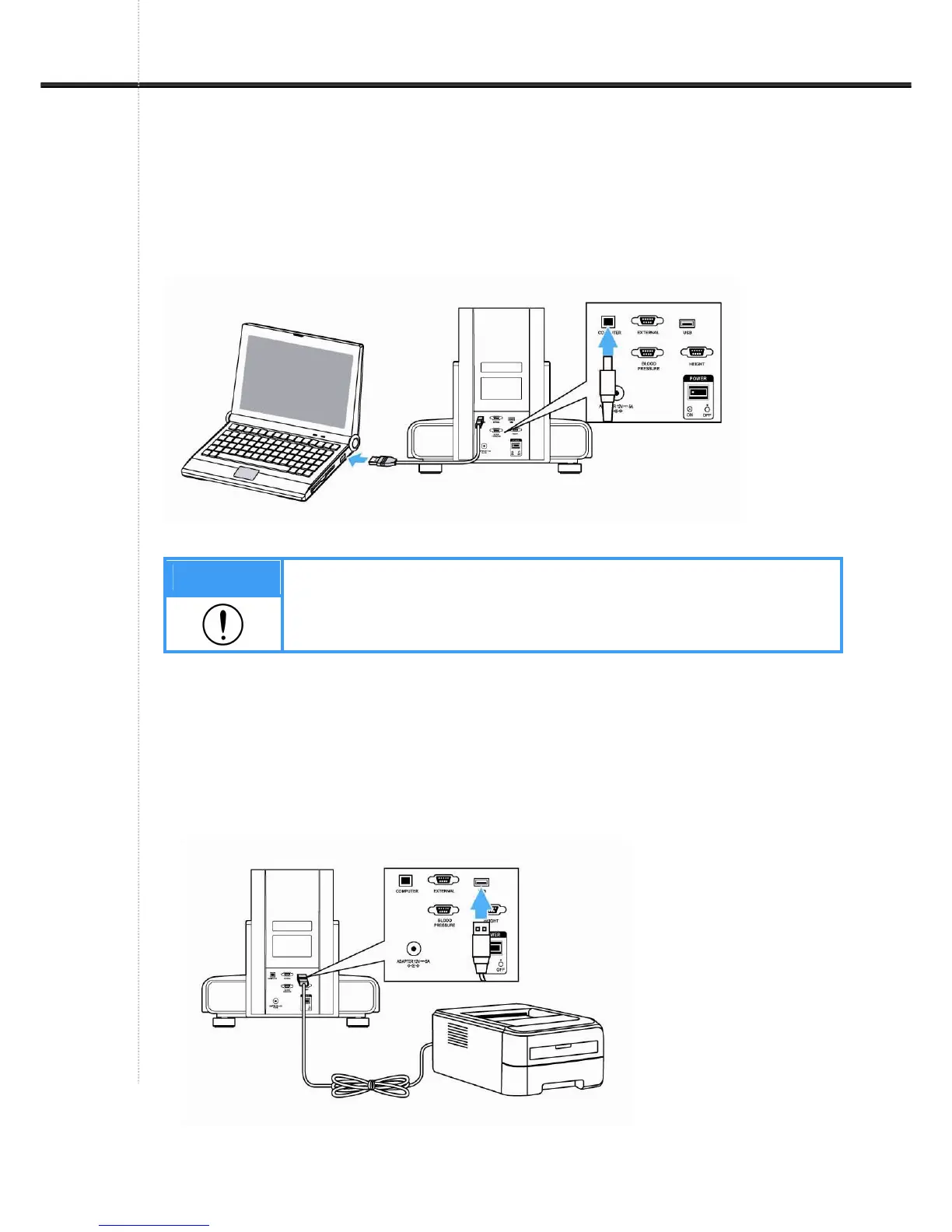
1) Connecting computer
Connect the “COMPUTER” port placed on the rear panel of this device to the computer with
USB cable. Or it can be connected through Bluetooth.
Note
1. If use USB port, the cable should be connected to the computer port.
2. When use computer port, USB driver should be installed at first.
For more information, please refer to the manual CD of software.
2) Connecting Printer
Connect A4 Printer to the 'PRINTER' port placed on the back with USB cable. There are two
ways to connect printer.
Unit① -Printer interface directly.
Unit② -Computer-Printer connecting.


 To Next Page