6. Set Up
< DATE / TIME >
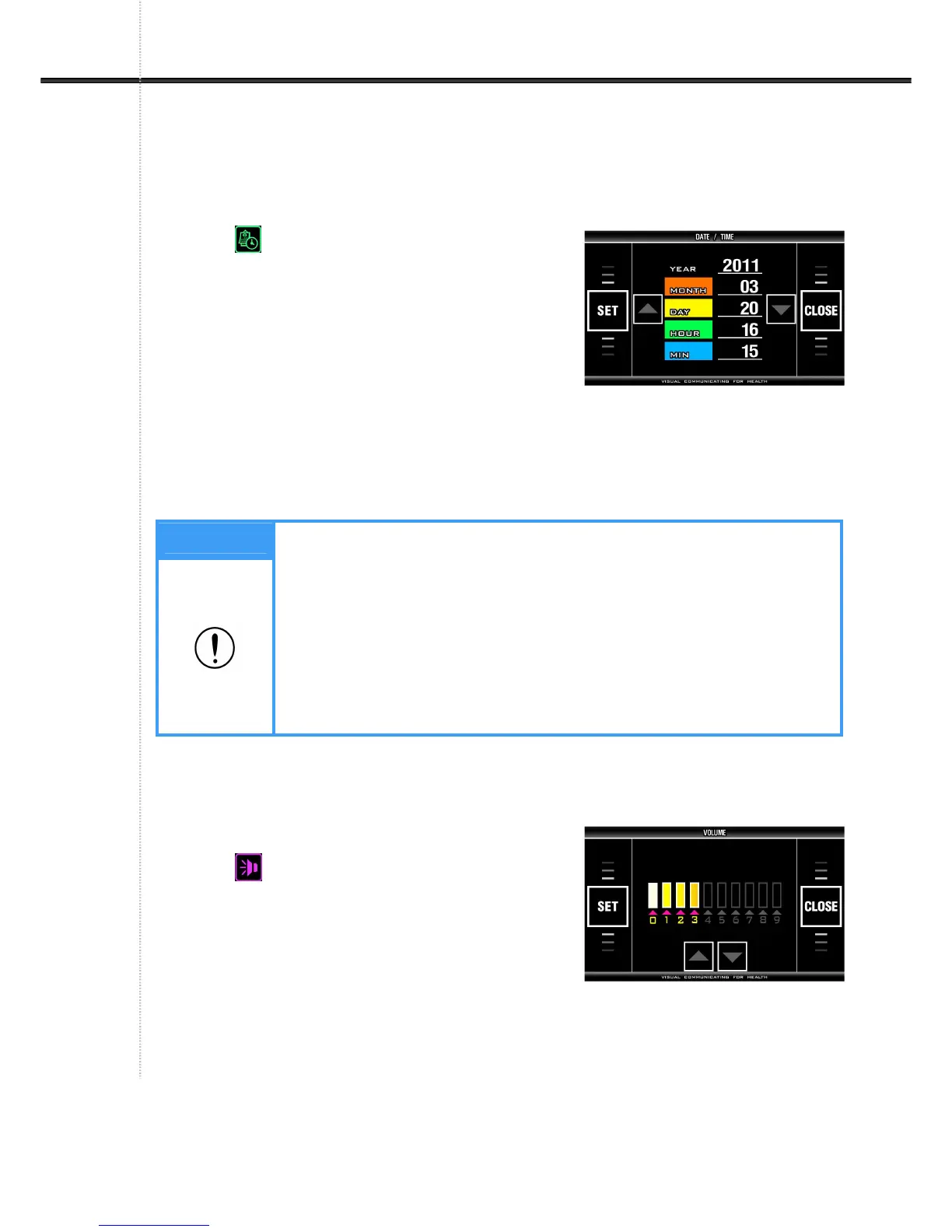
It sets date and time (year, month, day, hour, and minute).
- Select (DATE / TIME) on SYSTEM SETUP
screen and press SET button on touch pad.
- Pre-set: The date of the device released from the
manufacturer's factory.
- Set YEAR by pressing ‘▼, ▲’ on touch pad.
- Press ‘MONTH’ and set Month.
- Choose DAY, HOUR, MIN and Set correct date and time in the same way.
- Press ‘SET’ on touch pad to save the change.
- Return to SYSTEM SETUP screen by pressing ‘CLOSE’ on touch pad.
< VOLUME >
It adjusts the volume of voice guidance.
- Select (VOLUME) on SYSTEM SETUP screen
with ‘▼, ▲’ button and press ‘SET’ on touch pad.
- Pre-set: 3
- Range: 0 ~ 9
- Adjust volume with ‘▼, ▲’ button on touch pad.
- Press ‘SET’ on touch pad to save selected value.
- Return to SYSTEM SETUP screen by pressing ‘CLOSE’ on touch pad.
Note
1. If ‘SET’ button is pressed before finishing setup of date and time, the date
and time inputted at that time is saved and SYSTEM SETUP screen
appears. To cancel any changes attempted, press ‘CLOSE’ then this
device saves the previous date and time and SYSTEM SETUP screen
appears.
2. When software is used in data management, measured date is
automatically saved as the date set in this device. Therefore the date and
time set in this device should be checked before use.


 To Next Page