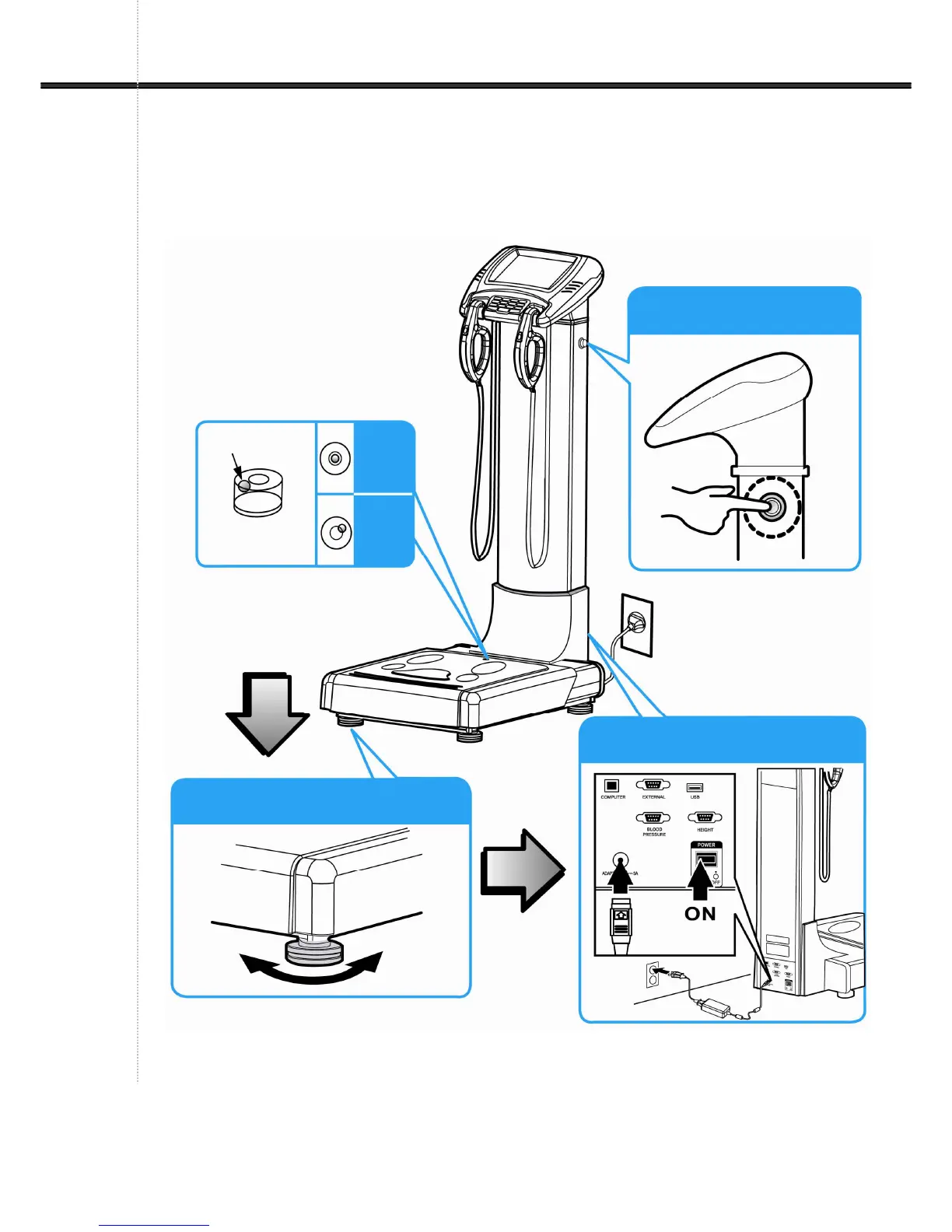
(5) Adjust the level & Turn on the power
Check the level of the device.
If it is not at level, adjust the level using the four wheels.
After adjusting the level, connect the provided adapter and power cable and turn on the
device.
If you press the power saving button on the right side of the column as shown in the picture,
it turns to power saving mode.
Normal


 To Next Page