24
Using the Remote control to control
the main device:
n To turn off the device, press the “On/Off” button.
n Remove the electrodes from the skin. Detach
from the edges.
n Remove the device from the electrodes. If you
forget the device for more than 5 minutes,
it turns off. If the device is frequently used during
the day, it is advisable to charge it before starting
a new session.
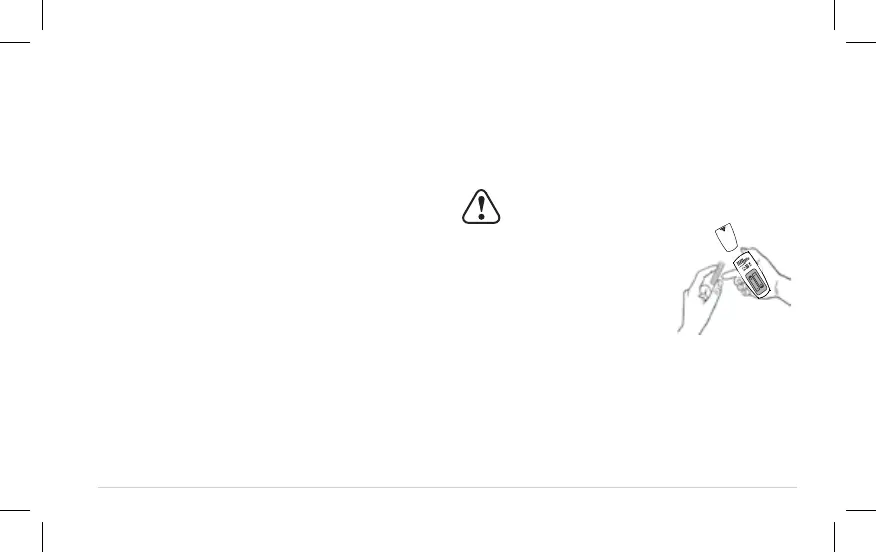
Step1–inserting batteries
1. Remove the battery cover on the back of the device
2. Insert 2xAAA batteries. Make sure the positive +
and negative – signs correspond with the markings
in the device when inserting batteries. Reinstall the
battery cover .
Notes:
■ Please use 2×AAA batteries in this remote control.
■ Remove the batteries if the device is not in use
for long periods of time.
■ Do not mix old and new batteries or different
types of batteries.
■ Remove exhausted batteries from the remote control.
Step 2– Cleaning of skin
Please refer to pg.19
Step 3– Preparation of the ACRL-9100 unit
Please refer to pg.19
Step 4–Placing the gel pads
Please refer to pg.19
Step 9 - Following completion of session
CAUTION:
■ Batteries must be handled by
an adult. Keep batteries out
of the reach of children.


 To Next Page