5
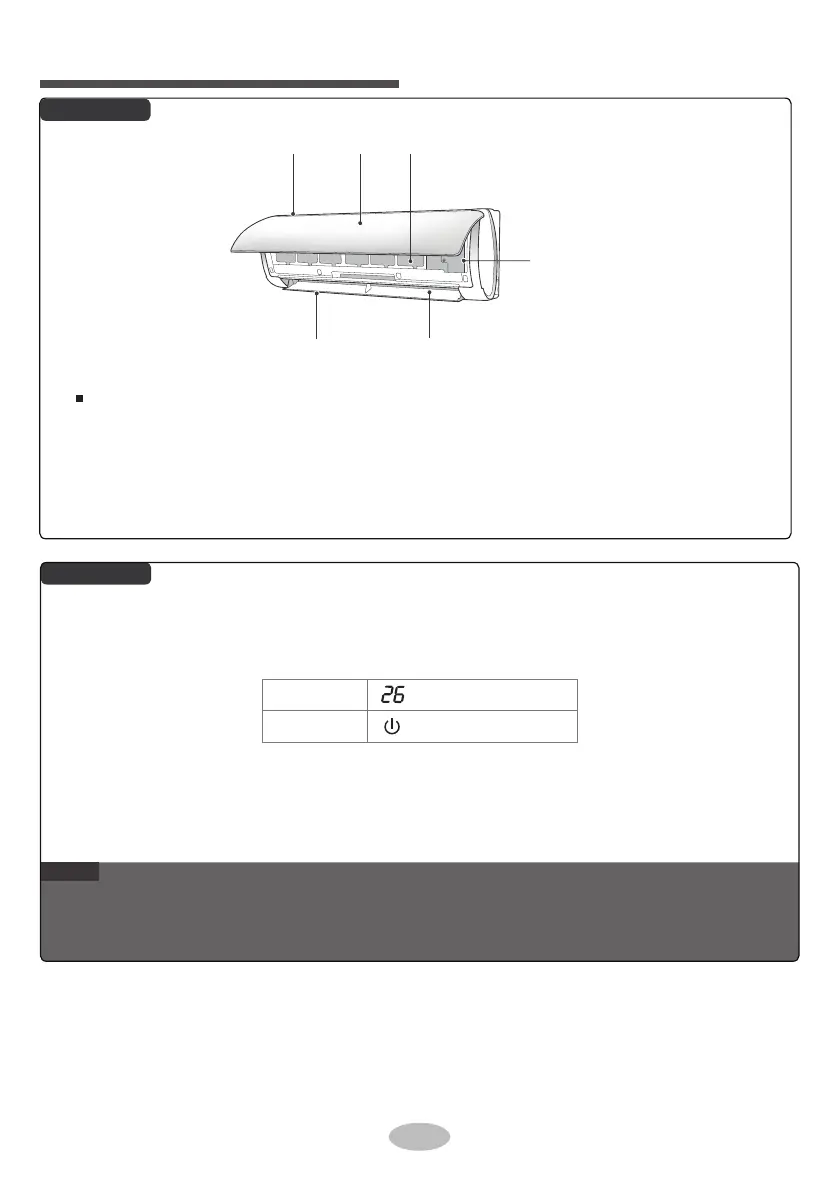
Indoor Unit
Parts name
Display
NOTE
●
●
This is the general introduction and the color of indicat
or is only for reference. Please refer to the actual
display.
Display content may be different from the actual. Please refer to the actual display.
If remote controller is lost or damaged, please use aux. button to turn on or turn off the air
conditione
r. The operation in details is as below: As shown in the figure, open panel and
press aux. button to turn off the air conditioner. When the air conditioner is turned on, it will
operate under auto mode.
Temp. indicator
Power indicator
aux. button
filterair inlet panel
horizontal louver
air outlet


 To Next Page