9
Empowering Technology
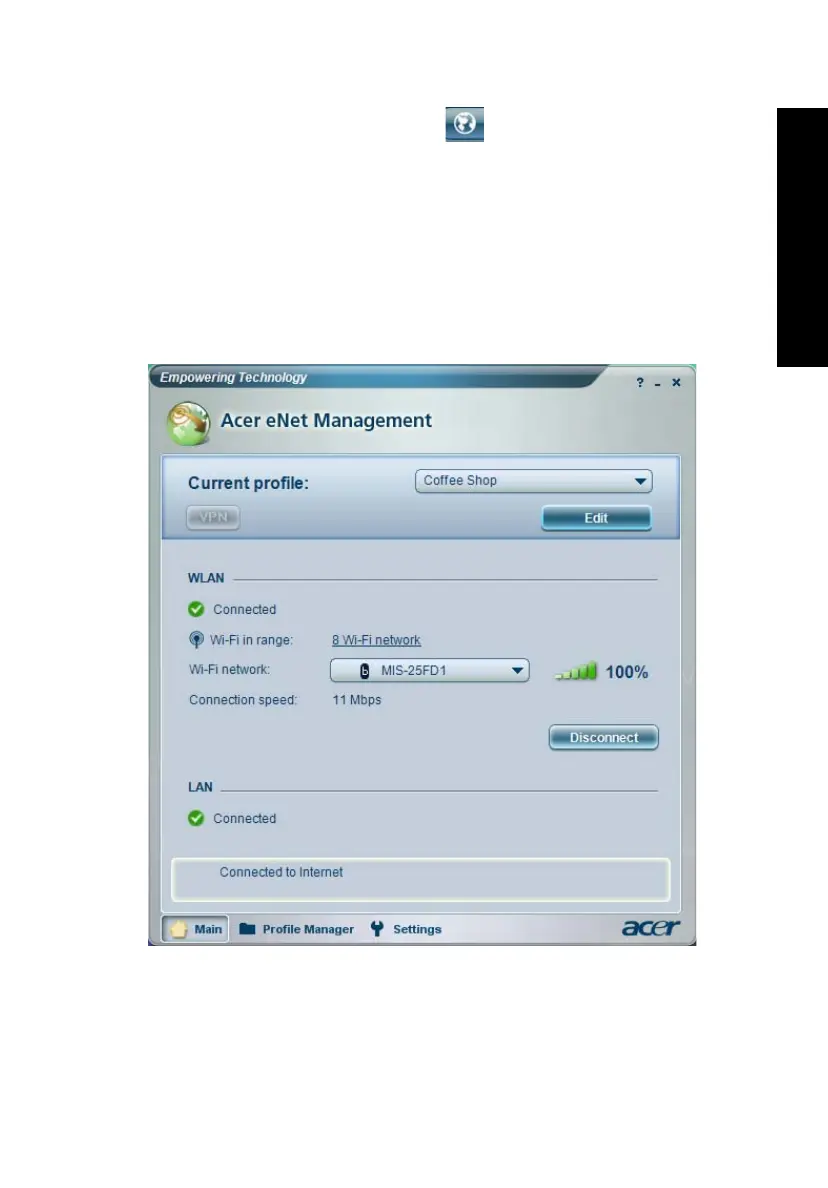
Acer eNet Management
Acer eNet Management helps you to quickly and easily connect to both wired
and wireless networks in a variety of locations. To access this utility, either click
on the "Acer eNet Management" icon on your notebook, or start the program
from the Start menu. You also have the option to set Acer eNet Management to
start automatically when you boot up your PC.
Acer eNet Management automatically detects the best settings for a new
location, while offering you the freedom to manually adjust the settings to
match your needs.
Acer eNet Management can save network settings for a location to a profile,
and automatically switch to the appropriate profile when you move from one
location to another. Settings stored include network connection settings (IP and
DNS settings, wireless AP details, etc.), as well as default printer settings.





 To Next Page