30
English
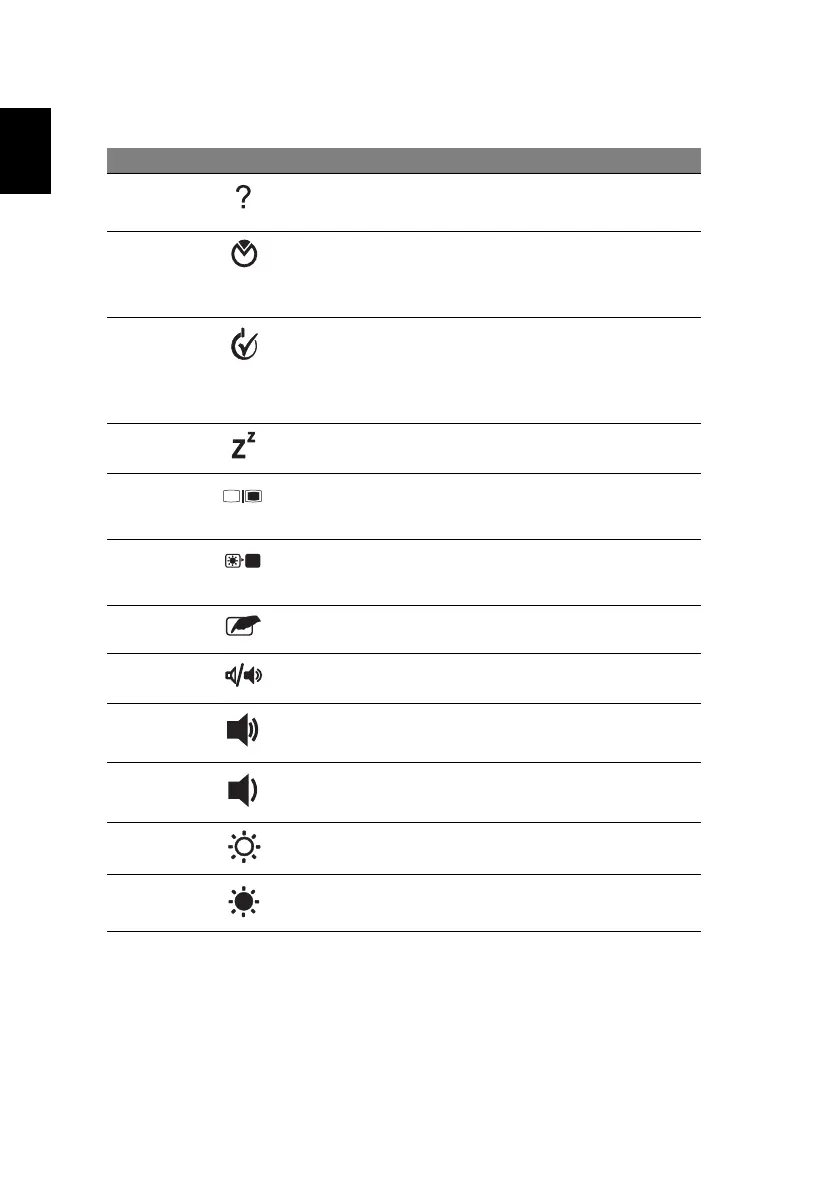
Hotkey Icon Function Description
<Fn> + <F1> Hotkey help Displays help on hotkeys.
<Fn> + <F2> Acer eSettings Launches Acer eSettings in Acer
Empowering Technology. See
"Acer Empowering Technology"
on page 1.
<Fn> + <F3> Acer ePower
Management
Launches Acer ePower
Management in Acer Empowering
Technology. See "Acer
Empowering Technology" on
page 1.
<Fn> + <F4> Sleep Puts the computer in Sleep mode.
<Fn> + <F5> Display toggle Switches display output between
the display screen, external
monitor (if connected) and both.
<Fn> + <F6> Screen blank Turns the display screen backlight
off to save power. Press any key
to return.
<Fn> + <F7> Touchpad toggle Turns the internal touchpad on
and off.
<Fn> + <F8> Speaker toggle Turns the speakers on and off.
<Fn> + <↑> Volume up Increases the sound volume.
<Fn> + <↓> Volume down Decreases the sound volume.
<Fn> + <→> Brightness up Increases the screen brightness.
<Fn> + <
←
> Brightness down Decreases the screen brightness.






 To Next Page