19Editing text
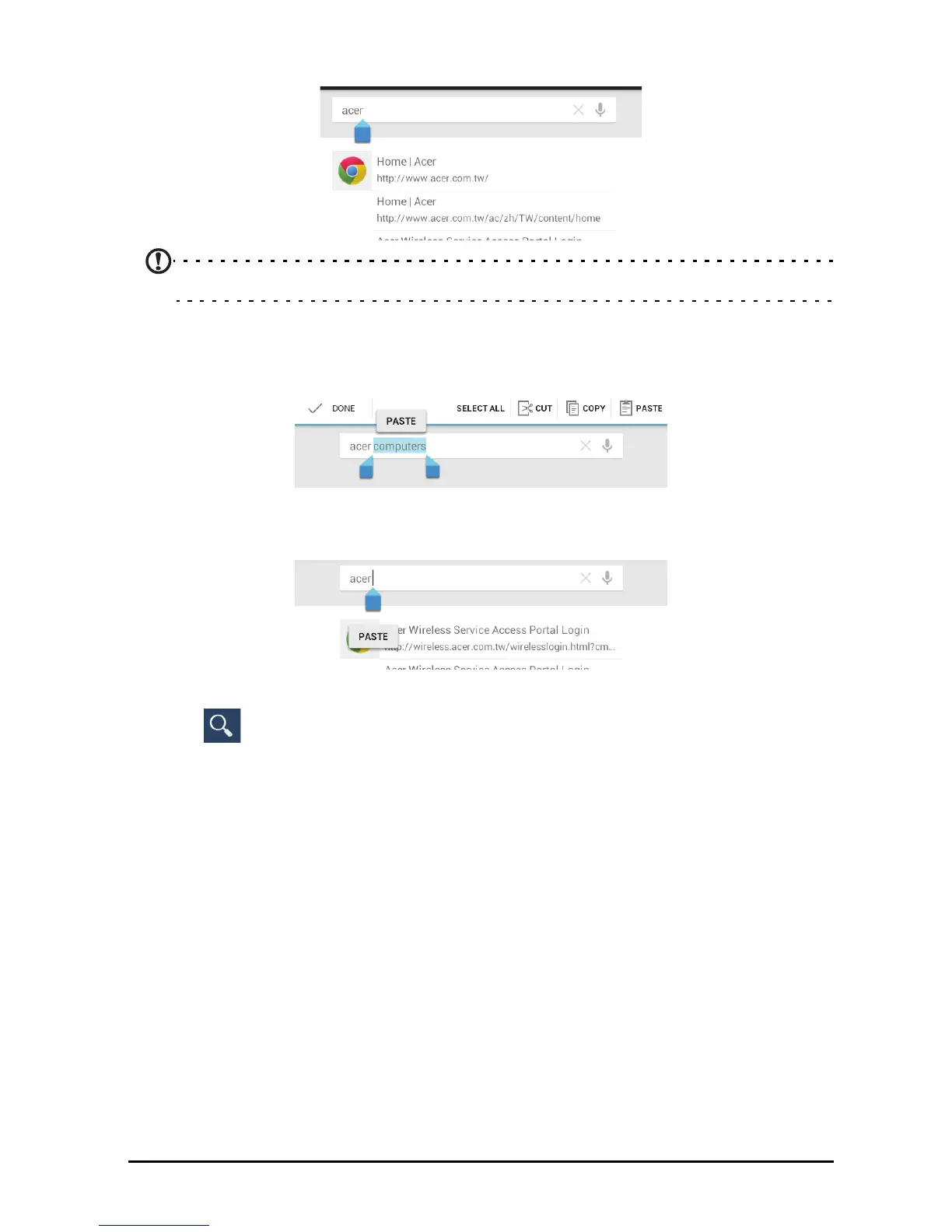
1. Tap the text you want to select. If you can select this text, a cursor is inserted
below the text.
Note: The cursor indicates where text you type or paste will be inserted.
2. If the cursor is not in the desired position, simply drag it to the correct position.
If you previously copied (see below) text, t
ap where you want to insert the text. A
PASTE button appears briefly below the cursor. Tap the button to paste the text.
To replace a word, double tap the word. A PASTE button appears above the
word. Tap the button to paste to replace the text.
3. Modify the text: Type, paste or delete text.
4. Tap
on the keyboard.



 To Next Page