
 Need help?
Do you have a question about the Acer Aspire Switch 12 and is the answer not in the manual?
Overview of guides for using your Acer tablet.
Essential advice for turning off, caring for, and cleaning your computer.
Identifies key components on the screen and keyboard.
Details ports on the left, right, and cover/rear views.
Using DVDs, creating backups, and restoring to factory condition.
Procedure to reinstall pre-installed software and drivers.
Connecting via cable, wireless LAN, or 3G network.
Enabling, disabling, and pairing Bluetooth devices.
Features and controls for touch interface enhancements.
Using the screen capture tool and its editing features.
Configuring boot sequence and setting BIOS passwords.
Using passwords and protecting your system from unauthorized access.
Optimizing power usage and maintaining battery life.
Tips for preparing and traveling with your Acer device.
Inserting, removing, and types of memory cards.
Connecting external displays and audio devices.
Solutions for startup, screen, audio, keyboard, and printer problems.
Restoring to original settings and requesting service.
Navigating Start, apps, Charms, and personalization.
Dealing with common system problems and error messages.
Steps for safe internet use, choosing ISPs, and network types.
Using security software, strong passwords, and protecting personal data.
 General
| Form factor | Convertible (Floating Slider) |
|---|---|
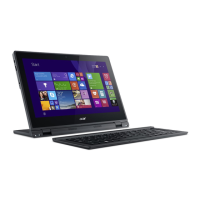
| Product type | Hybrid (2-in-1) |
| Product color | Black |
| Stepping | F0 |
| Tjunction | 95 °C |
| Processor cache | 4 MB |
| Processor cores | 2 |
| System bus rate | - GT/s |
| Processor family | Intel® Core™ M |
| Processor series | Intel Core M-5Y Mobile series |
| Processor socket | BGA 1234 |
| Processor threads | 4 |
| Processor codename | Broadwell |
| Configurable TDP-up | 6 W |
| Processor frequency | 0.8 GHz |
| Processor cache type | L3 |
| Processor lithography | 14 nm |
| Processor manufacturer | Intel |
| Processor front side bus | - MHz |
| PCI Express slots version | 2.0 |
| Processor boost frequency | 2 GHz |
| Processor operating modes | 32-bit, 64-bit |
| ECC supported by processor | No |
| PCI Express configurations | x1 (6), x2 (4), x4 (3) |
| Thermal Design Power (TDP) | 4.5 W |
| Scenario Design Power (SDP) | 3.5 W |
| Configurable TDP-up frequency | 1 GHz |
| Configurable TDP-down frequency | 0.6 GHz |
| Maximum number of PCI Express lanes | 12 |
| Motherboard chipset | - |
| Internal memory | 4 GB |
| Internal memory type | LPDDR3-SDRAM |
| SSD capacity | The Solid State Drive's storage capacity in Gigabytes. |
| SSD interface | SATA III |
| Storage media | SSD |
| Card reader integrated | Yes |
| Total storage capacity | 128 GB |
| Compatible memory cards | MicroSD (TransFlash) |
| Number of HDDs installed | 0 |
| Number of SSDs installed | 1 |
| Display diagonal | 12.5 \ |
| Native aspect ratio | 16:9 |
| On-board graphics card ID | 0x161E |
| Discrete graphics card model | Not available |
| On-board graphics card model | Intel® HD Graphics 5300 |
| On-board graphics card family | Intel® HD Graphics |
| Maximum on-board graphics card memory | 16 GB |
| On-board graphics card OpenGL version | 4.3 |
| On-board graphics card base frequency | 300 MHz |
| On-board graphics card DirectX version | 11.2/12 |
| On-board graphics card dynamic frequency (max) | 800 MHz |
| Intel® Virtualization Technology (Intel® VT) | VT-d, VT-x |
| Wi-Fi standards | Wi-Fi 5 (802.11ac), 802.11b, 802.11g, Wi-Fi 4 (802.11n) |
| Bluetooth version | 4.0 |
| Top Wi-Fi standard | Wi-Fi 5 (802.11ac) |
| Charging port type | DC-in jack |
| USB 2.0 ports quantity | USB 2.0 ports have a data transmission speed of 480 Mbps, and are backwards compatible with USB 1.1 ports. You can connect all kinds of peripheral devices to them. |
| Operating system installed | Windows 8.1 |
| Operating system architecture | 64-bit |
| Processor code | SR23C |
| Processor ARK ID | 85234 |
| Processor package size | 30 x 16.5 mm |
| Supported instruction sets | AVX 2.0, SSE4.1, SSE4.2 |
| Intel Identity Protection Technology version | 1.00 |
| Intel Stable Image Platform Program (SIPP) version | 0.00 |
| Battery capacity | 3220 mAh |
| Battery life (max) | 6 h |
| Number of battery cells | 3 |
| AC adapter power | 45 W |
 Weight and Dimensions
| Depth | 220.6 mm |
|---|---|
| Width | 317 mm |
| Height | 16.5 mm |
| Weight | 1400 g |


 To Next Page