21The voice call screen
Answering or declining a call
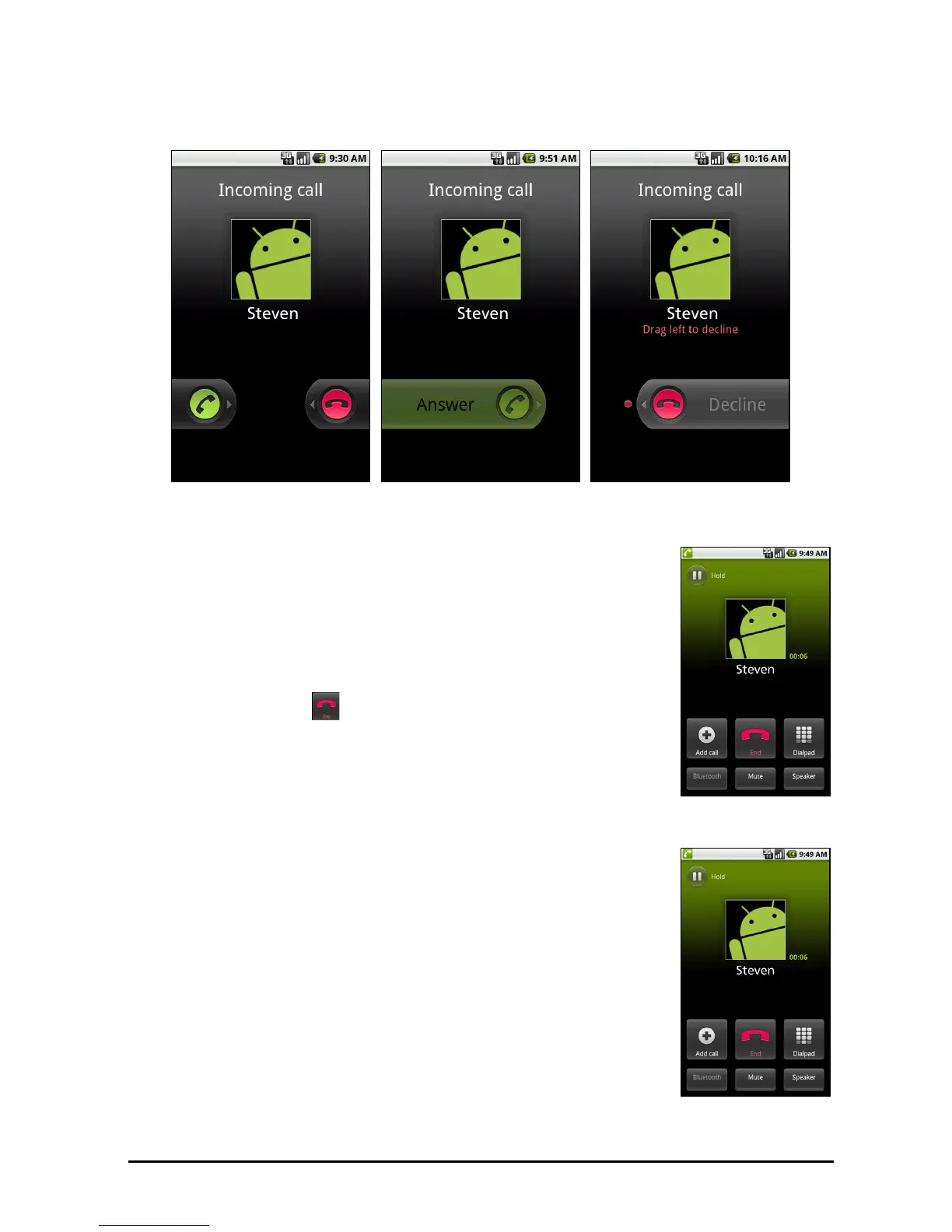
When you receive an incoming call, the number or contact name will be shown
on the screen. To accept or decline the call, drag the appropriate button across
the screen.
The voice call screen
Once you have dialed the number the voice call screen
appears, which displays the
number/contact you are talking
to, the call duration and call options (Bluetooth, Mute and
Speaker).
Ending a call
To end the call, tap . If necessary, first press any button to
activate the screen.
Onscreen call options
Using the speakerphone
The speakerphone function allows you to make calls
without having to hold your smartphone. This handsfree
function is especially useful for multitasking.
To activate the speakerphone, tap S
peaker. Tap Speaker
again to disable the speakerphone.
Muting a call
To mute a call, tap Mute on the voice call screen to switch
off the microphone. Tap Mute again to switch the
microphone back on.



 To Next Page