22
Conference calls
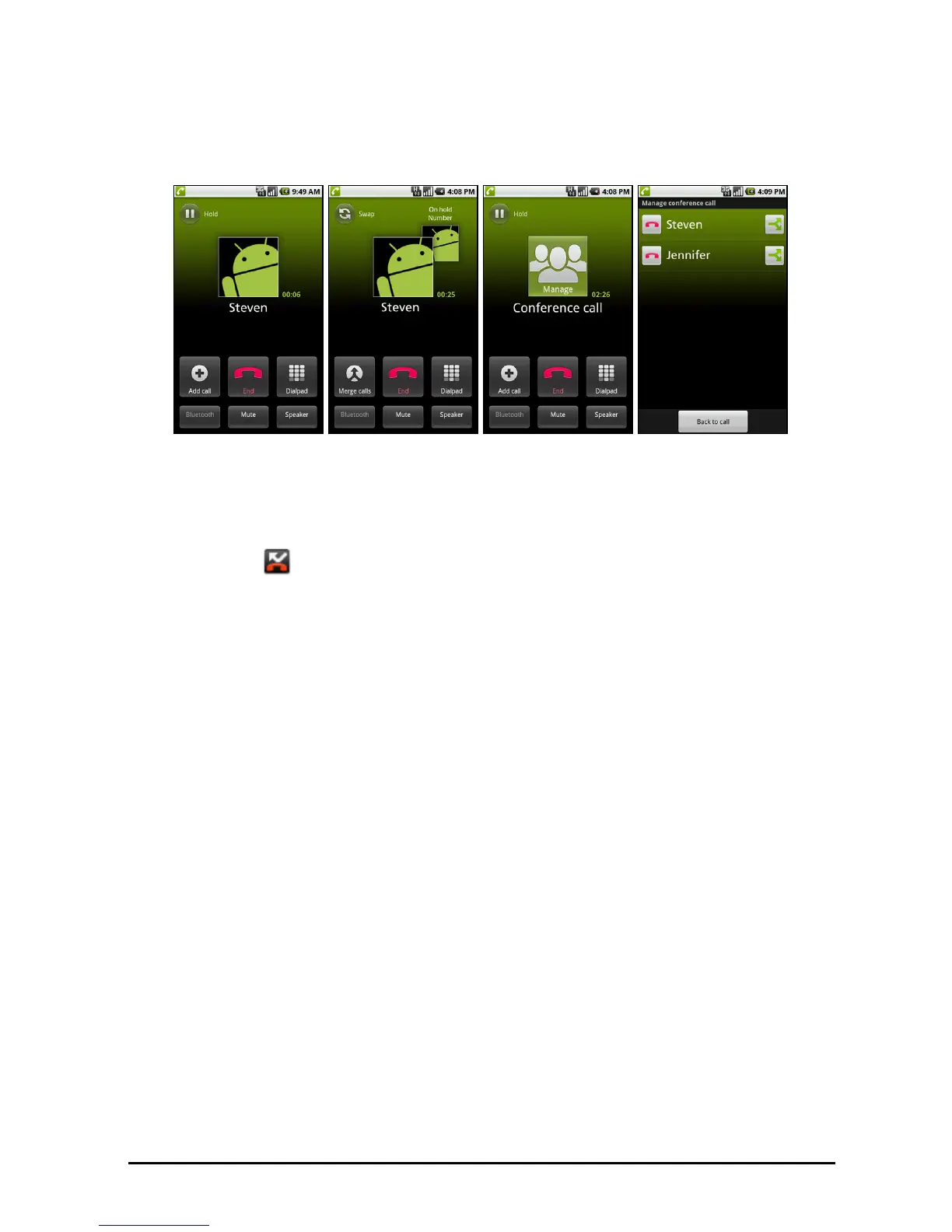
If you have one call on hold and another online, you can combine both calls to
create a conference call.
After the first call is established, tap Ad
d call to add a second call. Tap Merge
calls to start the conference call.
Tap Manage to split the conference call or end one of the calls.
Viewing missed calls
Missed calls will be displayed by the Home Ring and in the Notification area
with the icon .
You can quickly view missed calls from the Notification area.
1. Open the notification list by dragging the Not
ification area downwards to
display the details of the missed calls.
2. Select the call from the list and tap R
eturn call or Call Contact to return the
missed call.
You can save phone numbers to your Contacts from the Call Log. Please refer to
“Adding a contact“ on page 17 for further details.



 To Next Page