8
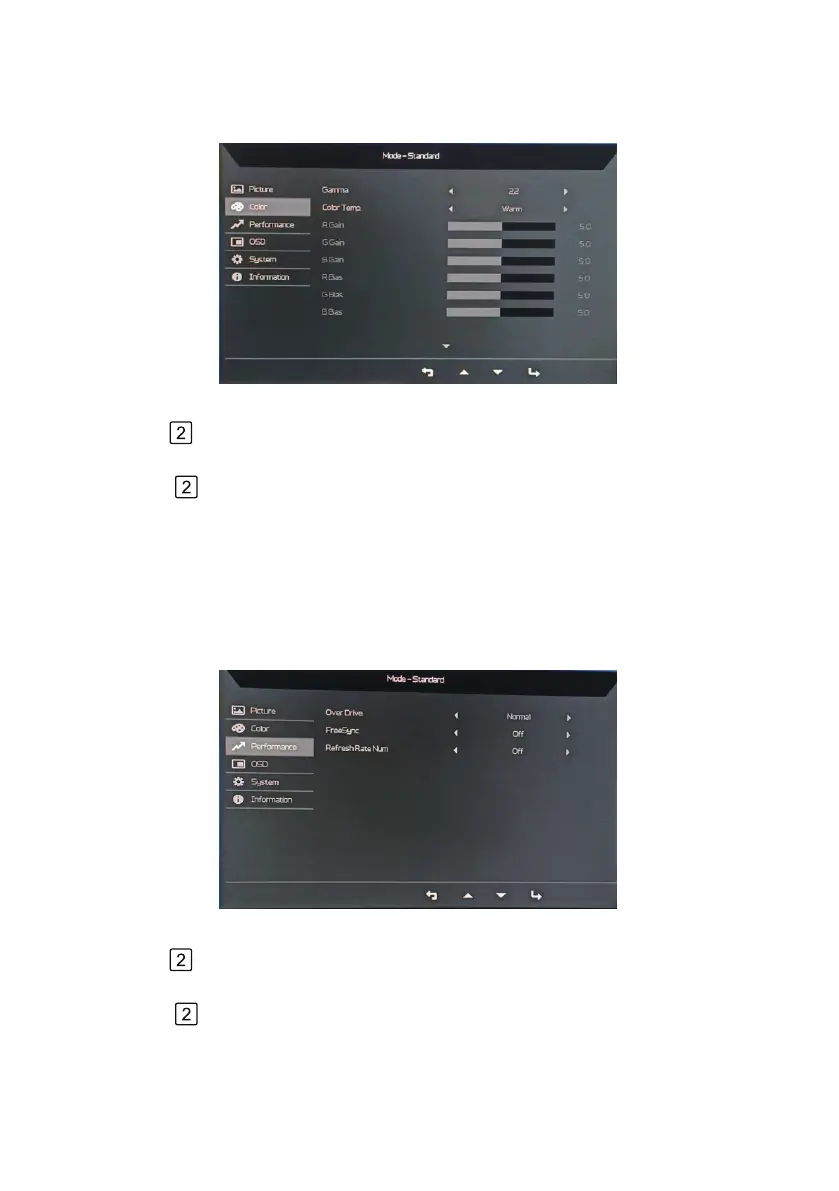
Adjusting the Color setting
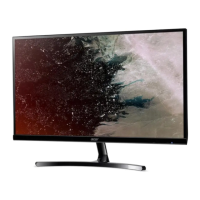
Adjust the Performance setting
1.
2.
3.
4. Use the
< / >keys to choose Gamma、Color Temp.、R Gain、G Gain、B Gain、R Bias、
G Bias、B Bias、Modes、sRGB Mode、Grayscale Mode、6-axis Hue、6-axis Saturate.
Use the
< / >keys to Color from OSD adjust the sliding scales.
Press the key to bring up the OSD.
Press the key to conrm your select.
1.
2.
3.
4. Use the
< / >keys to choose Over Drive、FreeSync、Refresh Rate Num.
Use the
< / >keys to Performance from OSD adjust the sliding scales.
Press the key to bring up the OSD.
Press the key to conrm your select.



 To Next Page