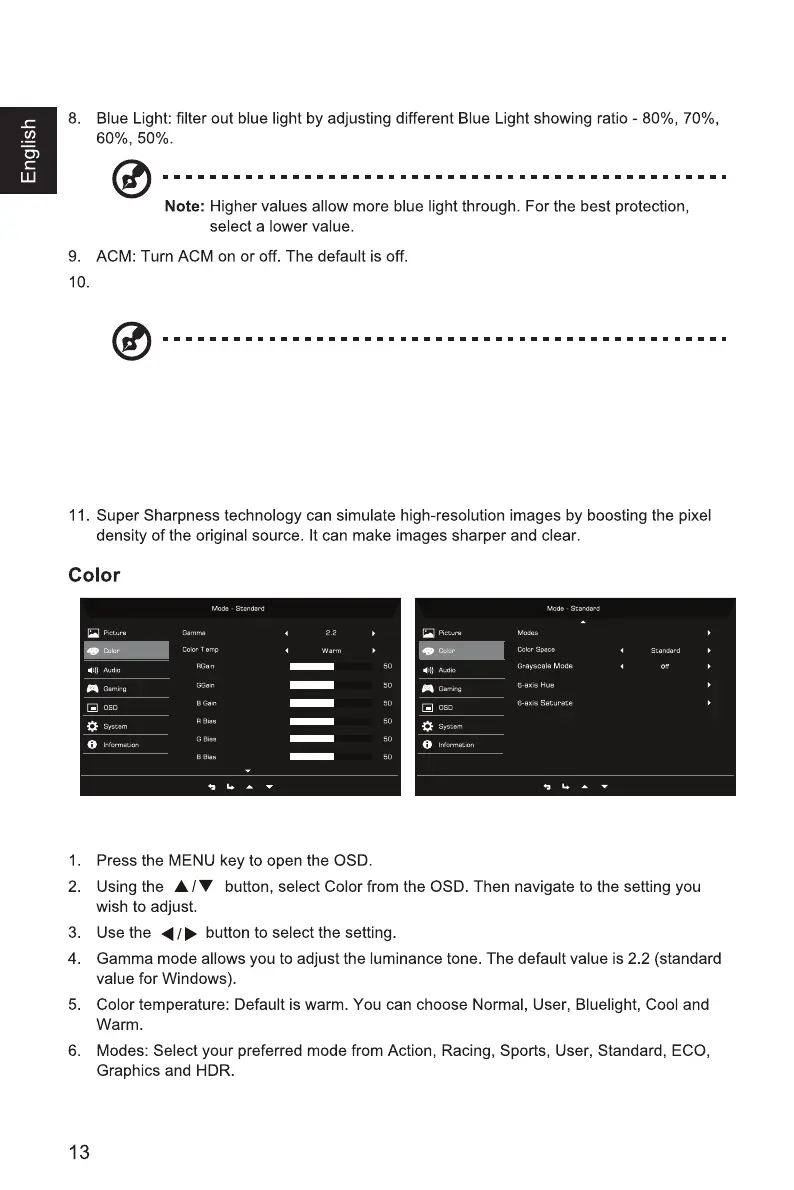
HDR: Can control (off / Auto / On) the default is off, set to auto will automatically
detect and deal with HDR signal.
Note:
1. When HDR=Auto or On, the Modes will also be automatically set to “HDR”.
2. When HDR=Auto, some parameters: (ACM, Gamma, Contrast, Blue Light, Black
Boost…) functions is gray out and disable, and if you change other adjustable
parameters, the “Modes” will not jump to “User” Mode.



 To Next Page