6
English
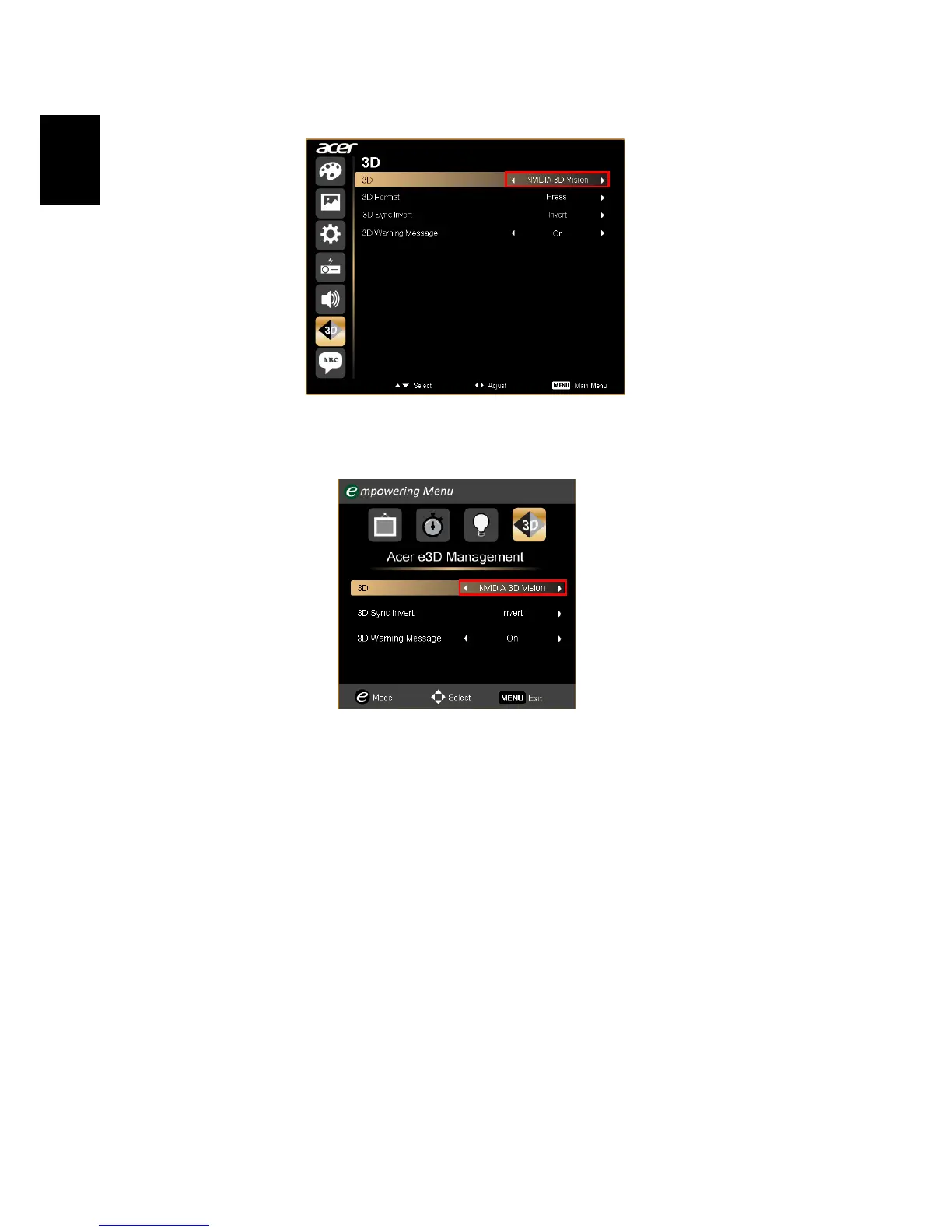
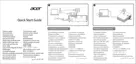
7 Set 3D to Nvidia 3D Vision.
8 Alternatively, press the Empowering Key on your projector’s remote
control to open Acer e3D Management. From the 3D options, select Nvidia
3D Vision.
Using the stereoscopic player
You need to have a stereoscopic player in order to view 3D content. The
instructions below explain how to view 3D content using the Stereoscopic
player that is available at www.3dtv.at. Other players may have different
procedures.



 To Next Page