EasyManua.ls Logo

Acer K272HL - User Manual

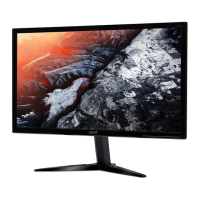
Acer K272HL
14 pages
Print Icon
To Next Page IconTo Next Page
Loading...
Acer Monitor K272HL
LIFECYCLE EXTENSION
GUIDE

Questions and Answers

  • L
    Leonard HoltJul 29, 2025
    What to do if my Acer K272HL has no picture?
    • M
      Matthew ReyesJul 29, 2025
      If your Acer monitor displays no picture, there are several things you can check. First, use the OSD to adjust the brightness and contrast to the maximum or reset them to their default settings. Ensure the power switch is on and the AC power cord is properly connected to the monitor. Verify that the video signal cable is securely connected to the back of the monitor. Also, make sure that your computer system is powered on.
  • L
    Latasha GomezAug 8, 2025
    Why does my Acer Monitor have an abnormal picture?
    • E
      egrayAug 8, 2025
      An abnormal picture on your Acer monitor might be due to a mismatch between the graphics adapter and monitor specifications, causing an input signal frequency mismatch. To resolve this, check the compatibility of your graphics adapter and monitor specifications. For non-standard signals, use the OSD to adjust the RESOLUTION, CLOCK, CLOCK-PHASE, H-POSITION, and V-POSITION. If the full-screen image is missing, use the OSD to select another resolution or vertical refresh timing. After adjusting the image size, wait a few seconds before changing or disconnecting the signal cable or powering off the monitor.
  • A
    Anna CoffeyAug 17, 2025
    How to fix abnormal sound on my Acer Monitor?
    • C
      cgilbertAug 18, 2025
      If you're experiencing abnormal sound on your Acer monitor (audio-input model), first check that the audio cable connecting the monitor to the host PC is properly connected. Also, verify that the volume setting on the host PC is not set to the minimum. If it is, try increasing the volume level.

Summary

Important Safety Notice

Product Announcement

Product certification for RoHS Directive and Lead-Free production, with vendor/provider liability noted.

Qualified Repairability

Guidelines for service providers on safe and reliable repair procedures, emphasizing knowledge and training.

Exploded Diagram

Product Exploded Diagram

Visual breakdown of the monitor components with indexed descriptions for identification and replacement.

Wiring Connectivity Diagrams

SKU with USB Wiring

Diagram illustrating wiring for monitor configurations that include USB connectivity.

SKU without USB Wiring

Diagram illustrating wiring for monitor configurations that do not include USB connectivity.

Mechanical Instruction

Tools Required for Disassembly

Lists essential tools such as screwdrivers, knives, gloves, and cleaning supplies for safe disassembly.

Disassembly and Assembly SOP

Disassembly Procedures

Detailed instructions and visual aids for safely disassembling the monitor's main components.

Assembly Procedures

Detailed instructions and visual aids for reassembling the monitor after component replacement.

Troubleshooting

VGA Mode Troubleshooting

Solutions for common problems like no picture, abnormal picture, and sound issues when using VGA connection.

HDMI;DP Mode Troubleshooting

Solutions for common problems like no picture and sound issues when using HDMI or DisplayPort connections.

FRU List

Acer K272HL Specifications

General IconGeneral
Screen Size27 inches
Resolution1920 x 1080 (Full HD)
Panel TypeTN
Refresh Rate60 Hz
Aspect Ratio16:9
Brightness300 cd/m²
Contrast Ratio1000:1
Dynamic Contrast Ratio100, 000, 000:1
Color Support16.7 million colors
PortsVGA, DVI, HDMI
VESA Mount100 x 100 mm
Viewing Angle170° (H) / 160° (V)
Power Consumption25 W (typical)

Related product manuals