EasyManua.ls Logo

Acer K222HQL - User Manual

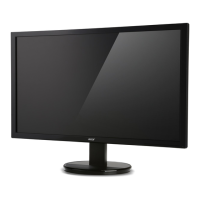
Acer K222HQL
9 pages
Print Icon
To Next Page IconTo Next Page
Loading...
L_CH
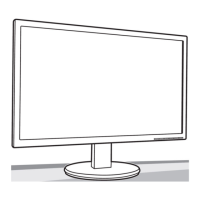
MONITOR
IK222HOL
Quick
Guide

Other manuals for Acer K222HQL

Questions and Answers

  • R
    Robin ThompsonJul 30, 2025
    What to do if my Acer K222HQL Monitor has no picture?
    • P
      paulhayesJul 30, 2025
      If your Acer monitor displays no picture, there are several things you can check. First, use the OSD to adjust the brightness and contrast to the maximum or reset them to their default settings. Ensure the power switch is on and the AC power cord is properly connected to the monitor. Verify that the video signal cable is securely connected to the back of the monitor. Also, make sure that your computer system is powered on.
  • B
    Becky MooreAug 8, 2025
    Why does my Acer K222HQL Monitor have an abnormal picture?
    • R
      Rachael CisnerosAug 9, 2025
      An abnormal picture on your Acer monitor might be due to a mismatch between the graphics adapter and monitor specifications, causing an input signal frequency mismatch. To resolve this, check the compatibility of your graphics adapter and monitor specifications. For non-standard signals, use the OSD to adjust the RESOLUTION, CLOCK, CLOCK-PHASE, H-POSITION, and V-POSITION. If the full-screen image is missing, use the OSD to select another resolution or vertical refresh timing. After adjusting the image size, wait a few seconds before changing or disconnecting the signal cable or powering off the monitor.
  • R
    Richard LandryAug 17, 2025
    How to fix abnormal sound on my Acer K222HQL Monitor?
    • G
      George GomezAug 17, 2025
      If you're experiencing abnormal sound on your Acer monitor (audio-input model), first check that the audio cable connecting the monitor to the host PC is properly connected. Also, verify that the volume setting on the host PC is not set to the minimum. If it is, try increasing the volume level.

Summary

Important Safety Instructions

Attaching the Monitor to the Base

Connecting Your Monitor to a Computer

External Controls Overview

Regulations and Safety Notices

Specifications

Federal Communications Commission Declaration of Conformity

Regulatory Compliance Markings

Acer Limited Warranty Agreement

Warranty Terms and Support

Details on warranty length, technical support, and service website/phone.

Product Limited Warranty

Acer's warranty for defects in materials and workmanship during the warranty period.

Hardware Technical Support

Scope and availability of technical support for diagnosing and resolving product issues.

Software Support

Assistance provided by Acer for operating system installation and configuration.

Limitations and Exclusions

Specific conditions and damages not covered by the limited warranty.

Implied Warranties

Information on implied warranties of merchantability and fitness for a particular purpose.

Limitation of Liability

Acer's maximum liability and exclusion of incidental or consequential damages.

Binding Arbitration

Agreement to resolve disputes through binding arbitration, waiving the right to a jury trial.

Out of Warranty Repairs

Terms and warranty for repair services provided by Acer outside the standard warranty period.

Acer K222HQL Specifications

General IconGeneral
3DNo
Panel typeTN+Film
Aspect ratio16:9
Display surface-
Display diagonal21.5 \
Display technologyLED
Supported video modes1080p
Viewing angle, vertical65 °
Contrast ratio (dynamic)100000000:1
Display number of colors16.78 million colors
Viewing angle, horizontal90 °
Display brightness (typical)200 cd/m²
Supported graphics resolutions1920 x 1080 (HD 1080)
HDCPYes
HDMI ports quantity0
CertificationMPR II
Product colorBlack
Tilt angle range-5 - 25 °
Panel mounting interface- mm
AC input voltage110 - 220 V
Energy efficiency scaleA to G
Power consumption (off)0.3 W
Power consumption (standby)0.5 W
Power consumption (typical)19 W
Cables includedAC, VGA
Harmonized System (HS) code85285210
Weight and Dimensions IconWeight and Dimensions
Depth (with stand)207 mm
Height (with stand)390.5 mm
Weight (with stand)3100 g
Depth (without stand)52 mm
Width (without stand)508 mm
Height (without stand)304.5 mm
Weight (without stand)2700 g

Related product manuals