8
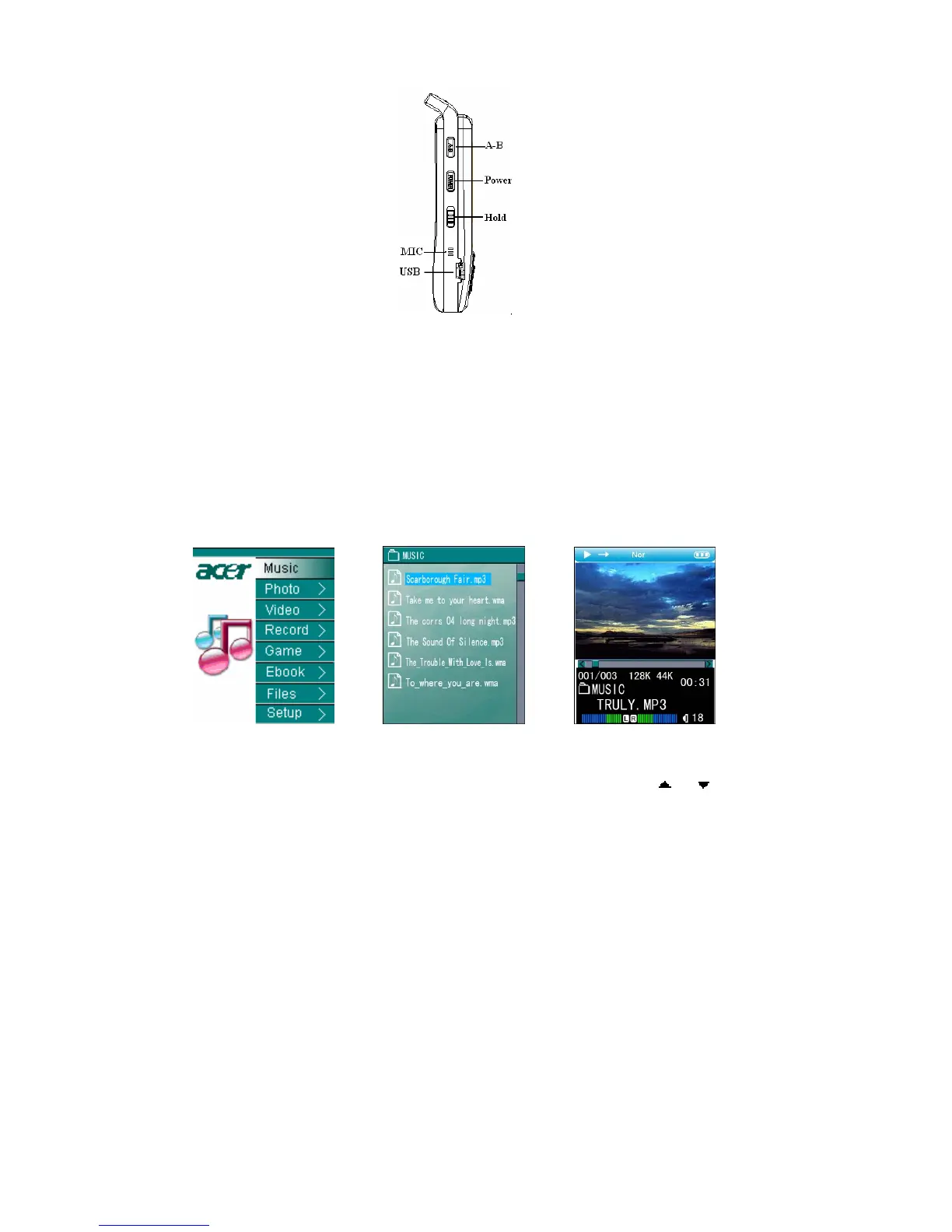
1.4 Holding function
PIC 5
1) Push up “Hold” button to the position shown in PIC 5 and any key-press to the
player will be null. This is to avoid any unnecessary key-press.
2) Push down “Hold” button and now the keys are available.
2 Play Music
1) Main menu
The defaulted mode is “Music” after entering the main menu as in PIC6. Press “ENTER” to
the interface of music list, as in PIC7.
Pic 6 Pic 7 Pic 8
2) Music list
All the music in the music file is listed in the music list. You press “
”or“ ”to choose the
music you want and press “ENTER” to play it, see in PIC 8; Press “ESC” to return to upper
directory; and press “MODE” to get a mode menu to copy or delete or exit.
3) Music playing modes
Display of the music playing modes



 To Next Page