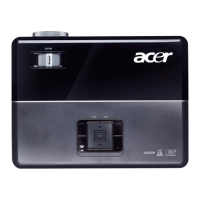
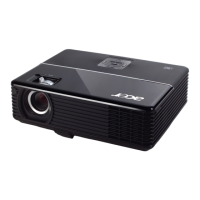
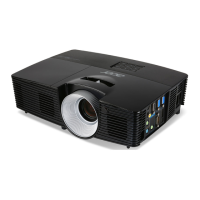
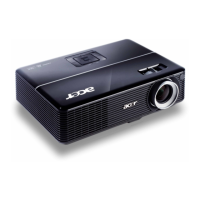
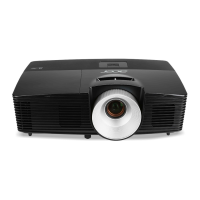
This document is a user's guide for the Acer DLP Projector series, covering models such as P1150, M306, PE-S45, F25S, AS329, PR120, MF-020, MS130, P1250, M316, PE-X45, F25X, AX329, ANX1711, PR220, MF-120, MX130, P1350W, M326S, PE-W45S, F25WS, AW329S, AWX1710, PR320, MF-220, MW130, P1350WL, M326, PE-W45, F25W, AW329, AWX1709, PR320T, MF-220T, MW130L, X1123H, D800D, EV-S80H, V50S, AS540, ASV1715, DX120, BS-020, KS330, X1223H, D810D, EV-X80H, V50X, AX540, ANX1714, DX220, BS-120, KX330, X1323WH, D820D, EV-W80H, V50W, AW540, AWX1713, DX420, BS-320, KW330, P1250B, M316E, PE-X45K, ANX1708, P1350WB, M326E, PE-W45K, and AWX1706.
Function Description
The Acer DLP Projector is a single-chip DLP® projector designed for versatile display needs. It supports projecting 3D content via DLP Link Technology, including Blu-Ray 3D, with a dedicated "3D" button on the remote for quick access. The projector incorporates Acer ColorBoost technology for vivid, life-like images, and offers high brightness and contrast ratios. It is compatible with NTSC/PAL/SECAM and HDTV (720p, 1080i, 1080p) signals.
The projector features Acer EcoProjection Technology for intelligent power management, including Dynamic Black and ExtremeEco functions. Dynamic Black dynamically adjusts lamp power consumption based on image brightness, reducing power for darker scenes and enhancing contrast. ExtremeEco decreases lamp power consumption by up to 70% when no input signal is detected for 15 minutes, extending lamp life.
Advanced keystone correction ensures optimum presentations, and multi-language Onscreen Display (OSD) menus provide user-friendly control. The projector also supports 0.8 ~ 2X digital zoom and pan move functions. It is compliant with Microsoft® Windows® 2000, XP, 7, 8, 8.1, 10, Vista®, Macintosh OS, and Chrome OS. LAN settings allow for remote management via a web browser, and it is Crestron compliant. CEC (Consumer Electronics Control) function is supported. LumiSense and BluelightShield functions are also included.
Important Technical Specifications
Projection System: DLP® technology
Resolution:
- P1150/M306/PE-S45/F25S/AS329/PR120/MF-020/MS130/X1123H/D800D/EV-S80H/V50S/AS540/DX120/BS-020/KS330: Native SVGA (800 x 600). Maximum UXGA (1600 x 1200), 1080p (1920 x 1080), WUXGA (1920 x 1200) (supports reduce blanking only).
- P1250/M316/PE-X45/F25X/AX329/PR220/MF-120/MX130/X1223H/D810D/EV-X80H/V50X/AX540/DX220/BS-120/KX330/P1250B/M316E/PE-X45K: Native XGA (1024 x 768). Maximum UXGA (1600 x 1200), 1080p (1920 x 1080), WUXGA (1920 x 1200) (supports reduce blanking only).
- P1350W/M326S/PE-W45S/F25WS/AW329S/PR320/MF-220/MW130/P1350WL/M326/PE-W45/F25W/AW329/PR320T/MF-220T/MW130L/X1323WH/D820D/EV-W80H/V50W/AW540/DX420/BS-320/KW330/P1350WB/M326E/PE-W45K: Native WXGA (1280 x 800). Maximum UXGA (1600 x 1200), 1080p (1920 x 1080), WUXGA (1920 x 1200) (supports reduce blanking only).
Displayable Colors: 1.07 billion colors
Projection Lens:
- P1150/M306/PE-S45/F25S/AS329/PR120/MF-020/MS130/X1123H/D800D/EV-S80H/V50S/AS540/DX120/BS-020/KS330/P1250/M316/PE-X45/F25X/AX329/PR220/MF-120/MX130/X1123H/D800D/EV-S80H/V50S/AS540/DX120/BS-020/KS330/P1350WL/M326/PE-W45/F25W/AW329/PR320T/MF-220T/MW130L/X1323WH/D820D/EV-W80H/V50W/AW540/DX420/BS-320/KW330: F = 2.56-2.68, f = 22.0 mm – 24.1 mm, 1:1.1 Manual Zoom and Manual Focus.
- P1350W/M326S/PE-W45S/F25WS/AW329S/PR320/MF-220/MW130/P1350WB/M326E/PE-W45K/P1250B/M316E/PE-X45K: F = 2.59 -2.87, f = 16.88 mm – 21.88 mm, 1:1.3 Manual Zoom and Manual Focus.
Projection Screen Size (Diagonal): 60"–300" (152 cm – 762 cm)
Projection Distance with Clear Focus:
- P1150/M306/PE-S45/F25S/AS329/PR120/MF-020/MS130/X1123H/D800D/EV-S80H/V50S/AS540/DX120/BS-020/KS330/P1250/M316/PE-X45/F25X/AX329/PR220/MF-120/MX130/X1223H/D810D/EV-X80H/V50X/AX540/DX220/BS-120/KX330: W: 2.38 m – 7.15 m (7.8' – 23.5'), T: 2.62 m – 7.87m (8.6' – 25.8').
- P1250B/M316E/PE-X45K: W: 1.85 m – 5.54 m (6.1' – 18.2'), T: 2.40 m – 7.20 m (7.9' – 23.6').
- P1350W/M326S/PE-W45S/F25WS/AW329S/PR320/MF-220/MW130/P1350WB/M326E/PE-W45K: W: 1.57 m – 4.71 m (5.2' – 15.5'), T: 2.04 m – 6.12 m (6.7' – 20.1').
- P1350WL/M326/PE-W45/F25W/AW329/PR320T/MF-220T/MW130L/X1323WH/D820D/EV-W80H/V50W/AW540/DX420/BS-320/KW330: W: 2 m – 6 m (6.6' – 19.7'), T: 2.2 m – 6.6 m (7.2' – 21.7').
Throw Ratio:
- P1150/M306/PE-S45/F25S/AS329/PR120/MF-020/MS130/X1123H/D800D/EV-S80H/V50S/AS540/DX120/BS-020/KS330/P1250/M316/PE-X45/F25X/AX329/PR220/MF-120/MX130/X1223H/D810D/EV-X80H/V50X/AX540/DX220/BS-120/KX330: 1.96–2.15 (50" ± 3% @ 2 m).
- P1250B/M316E/PE-X45K: 1.51–1.97 (65" ± 3% @ 2 m).
- P1350W/M326S/PE-W45S/F25WS/AW329S/PR320/MF-220/MW130/P1350WB/M326E/PE-W45K: 1.21–1.57 (77" ± 3% @ 2 m).
- P1350WL/M326/PE-W45/F25W/AW329/PR320T/MF-220T/MW130L/X1323WH/D820D/EV-W80H/V50W/AW540/DX420/BS-320/KW330: 1.55–1.7 (60" ± 3% @ 2 m).
Horizontal Scan Rate: 15–100 KHz
Vertical Refresh Scan Rate: 24–120 Hz
Keystone Correction:
- +/-40 Degrees (Vertical), Manual & Auto.
- P1250B/P1350WB: +/-30 Degrees (Vertical) / +/-20 Degrees (Horizontal), Manual & Auto.
Digital Zoom: 0.8–2 X
Audio:
- P1150/M306/PE-S45/F25S/AS329/PR120/MF-020/MS130/X1123H/D800D/EV-S80H/V50S/AS540/DX120/BS-020/KS330/X1223H/D810D/EV-X80H/V50X/AX540/DX220/BS-120/KX330/X1323WH/D820D/EV-W80H/V50W/AW540/DX420/BS-320/KW330: 3W speaker x 1.
- P1250/M316/PE-X45/F25X/AX329/PR220/MF-120/MX130/P1350W/M326S/PE-W45S/F25WS/AW329S/PR320/MF-220/MW130/P1350WL/M326/PE-W45/F25W/AW329/PR320T/MF-220T/MW130L/P1250B/M316E/PE-X45K/P1350WB/M326E/PE-W45K: 10W speaker x 1.
Weight: Approximately 2.4 kg (5.29 lbs.)
Dimensions (W x D x H):
- 299.5 x 220 x 91.6 mm (11.8" x 8.7" x 3.6").
- 299.5 x 220 x 105.1 mm (11.8" x 8.7" x 4.1") (with tilt adjusting wheels).
Power Supply: Universal AC input 100 - 240 V, input frequency 50/60 Hz.
Power Consumption: Standard mode: 260 W @100 VAC, ECO mode: 205 W @ 100 VAC, Standby mode: < 0.5 W.
Operating Temperature: 0°C to 40°C / 32°F to 104°F.
I/O Connectors:
- For X1123H/D800D/EV-S80H/V50S/AS540/DX120/BS-020/KS330/X1223H/D810D/EV-X80H/V50X/AX540/DX220/BS-120/KX330/X1323WH/D820D/EV-W80H/V50W/AW540/DX420/BS-320/KW330: Power socket x 1, USB (Type mini B) x 1, VGA input x 1, VGA output x 1, RS232 x 1, 3.5 mm audio jack input x 1, 3.5 mm audio jack output x 1, Composite video x 1, HDMI x 1.
- For P1150/M306/PE-S45/F25S/AS329/PR120/MF-020/MS130/P1250/M316/PE-X45/F25X/AX329/PR220/MF-120/MX130/P1350W/M326S/PE-W45S/F25WS/AW329S/PR320/MF-220/MW130/P1350WL/M326/PE-W45/F25W/AW329/PR320T/MF-220T/MW130L: Power socket x 1, USB (Type mini B) x 1, VGA input x 2, VGA output x 1, RS232 x 1, 3.5 mm audio jack input x 1, 3.5 mm audio jack output x 1, Composite video x 1, HDMI/MHL x 1, HDMI x 1, USB Type A (DC 5V OUT) x 1.
- For P1250B/M316E/PE-X45K/P1350WB/M326E/PE-W45K: Power socket x 1, USB (Type mini B) x 1, VGA input x 2, VGA output x 1, RS232 x 1, 3.5 mm audio jack input x 1, 3.5 mm audio jack output x 1, Composite video x 1, HDMI/MHL x 1, HDMI x 1, USB A input x 1, RJ45 LAN input x 1, Wireless dongle input x 1.
Usage Features
Turning On/Off:
- Ensure power cord and signal cable are securely connected. Power LED lights red.
- Press the POWER button on the control panel or remote control; Power indicator LED turns blue.
- Projector automatically detects source (if "Source Selection" is "Auto").
- If "No Signal" displays, check signal cables. Use "SOURCE" button to switch inputs if multiple sources are connected.
- To turn off, press POWER button twice. LED Power indicator turns solid red.
- Instant Resume: If enabled, LED Power indicator blinks rapidly for 2 minutes during cooling. Projector can be turned back on immediately during this period. After cooling, LED turns solid red.
Adjusting Projected Image:
- Height Adjustment: Use front and rear Tilt adjusting wheels to raise/lower and fine-tune the display angle.
- Image Size and Distance Optimization: Consult tables in the manual to find optimal image sizes based on projector distance from the screen. For example, for a 70" image, set the projector at a specific distance (e.g., 2.8 m to 3.1 m for P1150 series) and adjust zoom.
- Focus: Manual focus/zoom projection lens.
- Keystone Correction: Auto V. Keystone automatically adjusts image distortion. V. Keystone manually adjusts vertical distortion (±30 degrees). H. Keystone manually adjusts horizontal distortion (±20 degrees). 4 Corner Correction allows manual adjustment of image shape and size by selecting corners.
Onscreen Display (OSD) Menus:
- Access OSD by pressing "MENU" on control panel or remote.
- Navigate with directional keys, select items, and adjust settings.
- "MENU" button returns to main menu or exits OSD, saving new settings.
Color Settings:
- BluelightShield: Protects eyes from blue light; options: Off, Low, Medium, High.
- LumiSense: Optimizes brightness and color saturation; options: Off, Normal, Boost, Dynamic Black. LumiSense is unavailable when 3D is "On".
- Display Mode: Factory presets for various image types (Bright, Presentation, Standard, Video, Game, Education, User 1/User 2).
- Color Profile: Customize settings when User 1/User 2 is selected.
- Wall Color: Adjusts color based on wall color (White, Light Yellow, Light Blue, Pink, Dark Green).
- Brightness/Contrast/Saturation/Tint: Adjust image properties. Saturation and Tint are not supported in computer mode.
- Color Temperature: Adjusts color warmth/coolness.
- Gamma: Effects dark scenery representation.
- Rename: Rename User 1/User 2 modes.
Image Settings:
- Projection Mode: Front (default), Rear, Desktop, Ceiling.
- Projection Location: Auto (automatically adjusts), Desktop, Ceiling.
- Aspect Ratio: Auto, Full (for WXGA/1080p), 4:3, 16:9, L.Box (for WXGA/1080p).
- Sharpness: Adjusts image sharpness.
- H. Position/V. Position: Adjusts horizontal/vertical image position.
- Frequency/Tracking: Synchronizes projector refresh rate/signal timing with graphics card to correct flickering.
- HDMI Color Range: Adjusts HDMI image data color range (Auto, Limited Range, Full Range).
- HDMI Scan Info: Adjusts HDMI image overscan ratio (Auto, Underscan, Overscan).
Setting Options:
- Startup Screen: Select default Acer screen or a user-captured image.
- Screen Capture: Customize startup screen by capturing current image.
- Source Selection: Manual (requires pressing "SOURCE") or Auto (detects automatically).
- Closed Caption: Select captioning mode (CC1-CC4) or Off. Available for composite video or S-Video NTSC signals.
- DC 5V Out: Enables 5V power output from MHL port(s) and/or USB A port.
- USB 5V (Standby): Enables 5V power output from MHL port(s) and/or USB A port in standby mode.
- VGA OUT (Standby): Enables VGA signal output in standby mode.
- HDMI CEC: Synchronizes power ON/OFF with CEC-compatible devices.
3D Settings:
- 3D: Enables/disables 3D function.
- 3D Format: Select format to match 3D content.
- 24P 3D: Choose 96Hz or 144Hz.
- 3D L/R Invert: Inverts left/right image sequence for correct 3D display.
- 3D Warning Message: Displays warning message when 3D is enabled.
Language: Sets OSD menu language.
Maintenance Features
Cleaning:
- Unplug before cleaning.
- Use a damp cloth for cleaning; do not use liquid or aerosol cleaners.
- Clean the air filter frequently to prevent overheating.
Lamp Life Management:
- Lamp Hour Elapse: Displays elapsed operating time.
- Lamp Reminding: Shows warning message 30 hours before lamp end-of-life.
- Lamp Hour Reset: Resets lamp hour counter to 0.
- When lamp reaches end of life, it will burn out with a popping sound. Contact service center for replacement.
- Do not operate lamps beyond rated lamp life.
Security:
- Timeout (Min.): Sets a timeout for password re-entry (10-990 minutes).
- User Password: Set/change a 4-8 digit password.
- Administrator Password: Default is "1234". If forgotten, use the unique 6-digit "Universal Password" from the Security Card or contact service center.
- Lock User Startup Screen: Locks the startup screen to prevent changes.
Troubleshooting:
- Guide for common issues like no image, incorrect image display, unstable/flickering image, out of focus, stretched image, and projector not responding.
- LED & Alarm Definition Listing provides status indicators for Power, Lamp, and Temp LEDs.
- OSD Messages provide warnings for overheating, fan failure, and lamp end-of-life.
Installation:
- Ceiling Mount Installation: Instructions for drilling holes and securing the mount base. Provides different bracket types (Type 1, 2, 3) for various sizes and supports.
- Ensure reasonable space between bracket and projector for proper heat distribution.
- Adjust angle and positioning after mounting.
Safety Information:
- Read instructions carefully, follow warnings.
- Do not use near water or on unstable surfaces.
- Ensure proper ventilation; do not block openings.
- Do not push objects into slots or spill liquid.
- Use supplied power cord; ensure proper grounding.
- Do not overload power outlets.
- Refer servicing to qualified personnel; do not attempt self-service.
- Avoid looking into the projector's lens when the lamp is on.
- Turn on projector before signal sources.
- Do not place in poorly ventilated, confined, excessively hot, humid, dusty, or smoky environments.
- Do not face lens to the sun.
- Allow cooling cycle to complete before disconnecting power.
- Do not touch hot air outlet grille/bottom plate.
- Always open lens shutter/remove cap when projector is on.
- Do not block projector lens during operation.
- Do not stand projector vertically on end.
- Use Acer ceiling mount kit for ceiling installation.
Disposal Instructions:
- Recycle electronic devices; do not discard in trash.
- Lamps contain mercury; dispose of properly according to local, state, or federal laws. Refer to www.eiae.org and www.lamprecycle.org.
Listening Caution:
- Increase volume gradually.
- Do not increase volume after ears adjust or for extended periods.
- Decrease volume if unable to hear people speaking nearby.

 Need help?

 To Next Page
 General