9
English
Watching 3D DVD content
If you have a DVD player that supports 3D playback, you can watch 3D DVD
contant using your Acer 3D-enabled projector. Connect your DVD player to the
projector using any of the available input formats.
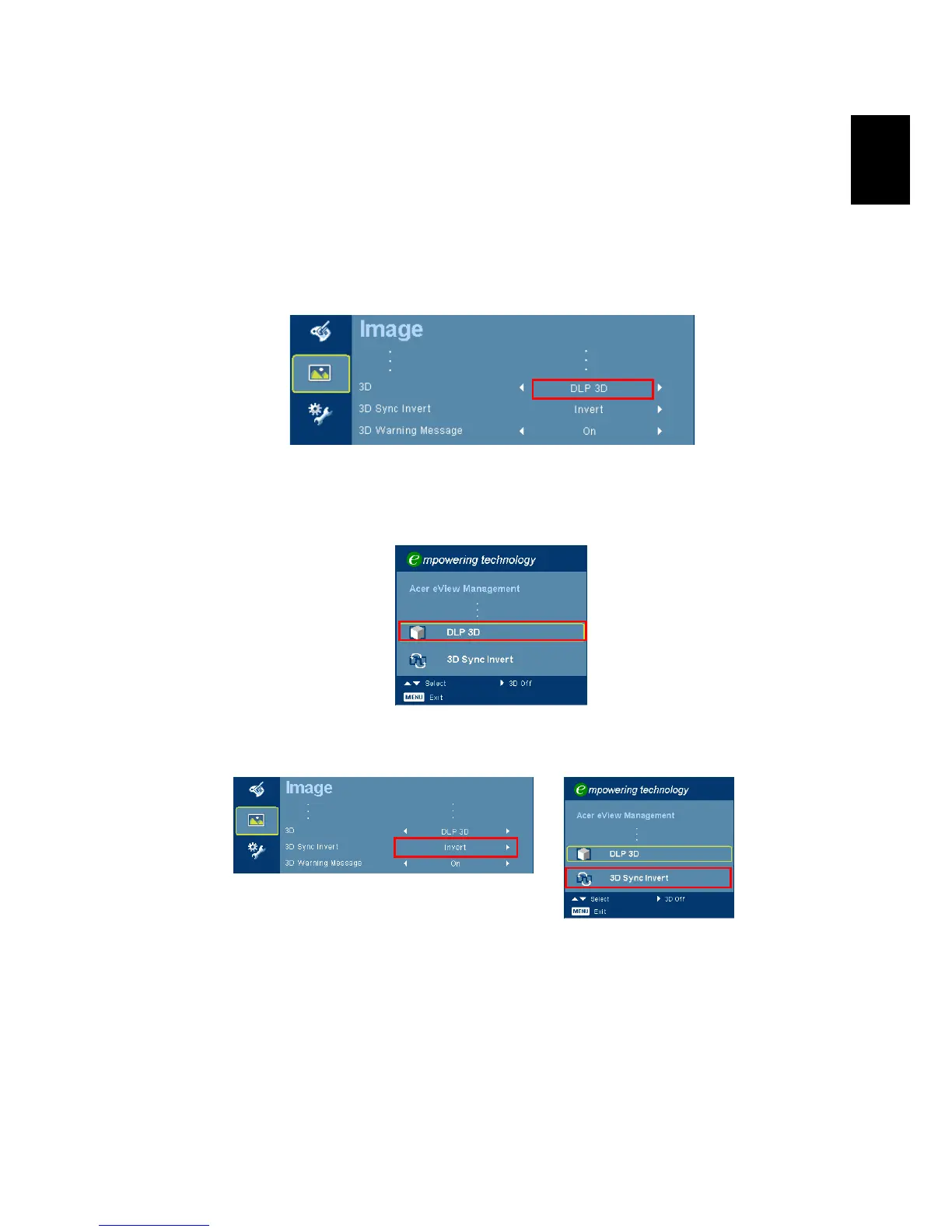
1 Press the menu button on the projector remote control to open the OSD.
Select the second menu option on the left-hand side of the window.
2 Set 3D to DLP 3D.
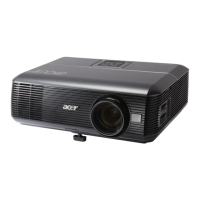
3 Alternatively, press the Empowering Key on your projector’s remote
control to open Acer eView Management. From the 3D options, select DLP
3D.
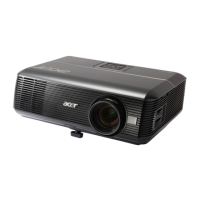
4 If you find that the 3D content is not displaying properly, try selecting 3D
Sync Invert from the projector OSD or Acer eView Management.


 To Previous Page