PredatorSense - 47
Widget cards
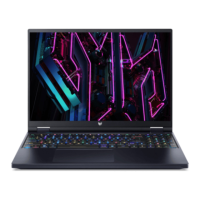
Widget cards are always visible on all PredatorSense
screens by default. If they are hidden, click the Widget icon.
• In the Scenario Profile tab, you can select your preferred
scenario profile, operating mode, adjust the performance
of the fans, and select the lighting effect.
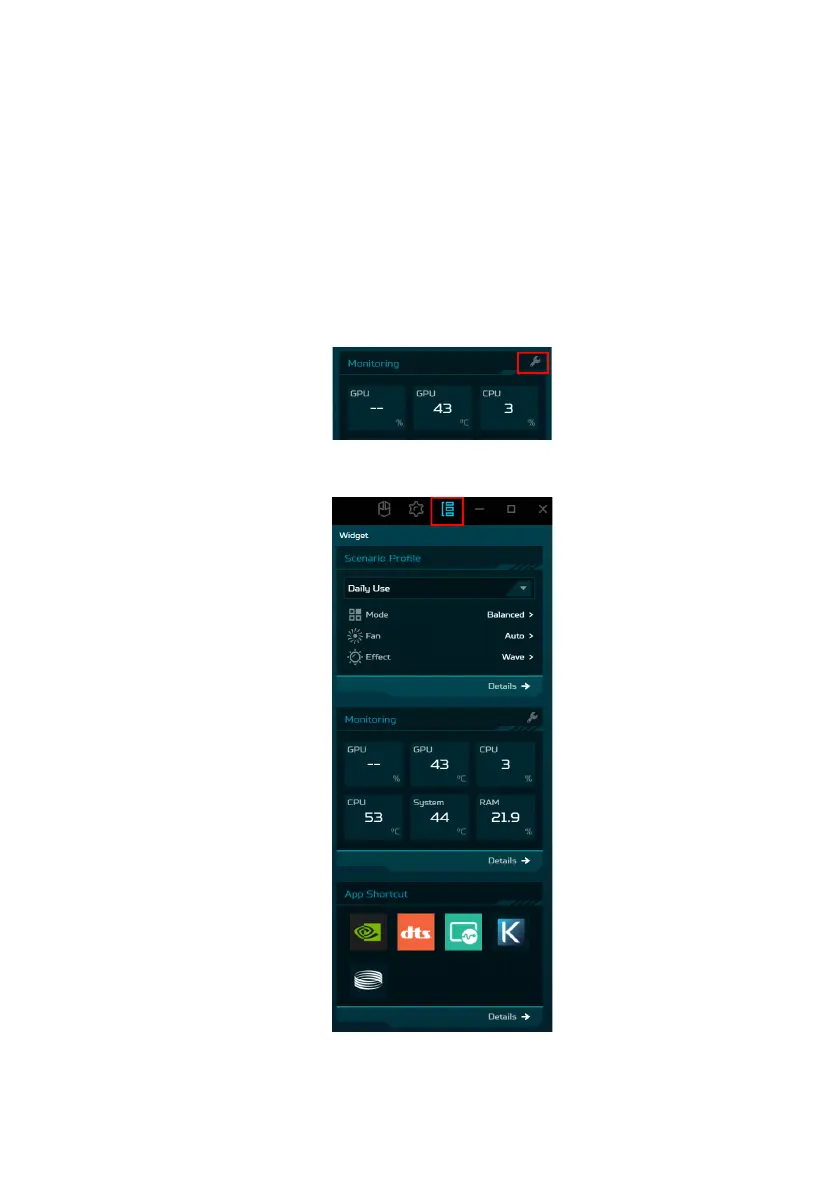
• Under the Monitoring tab, you can view system
performance. To customize the view, click the Adjust icon
and select the items you want to monitor.
• Under the App Shortcut tab, click on the app to open it. To
configure more settings, click Details below each tab.



 To Next Page