12 User’s Guide
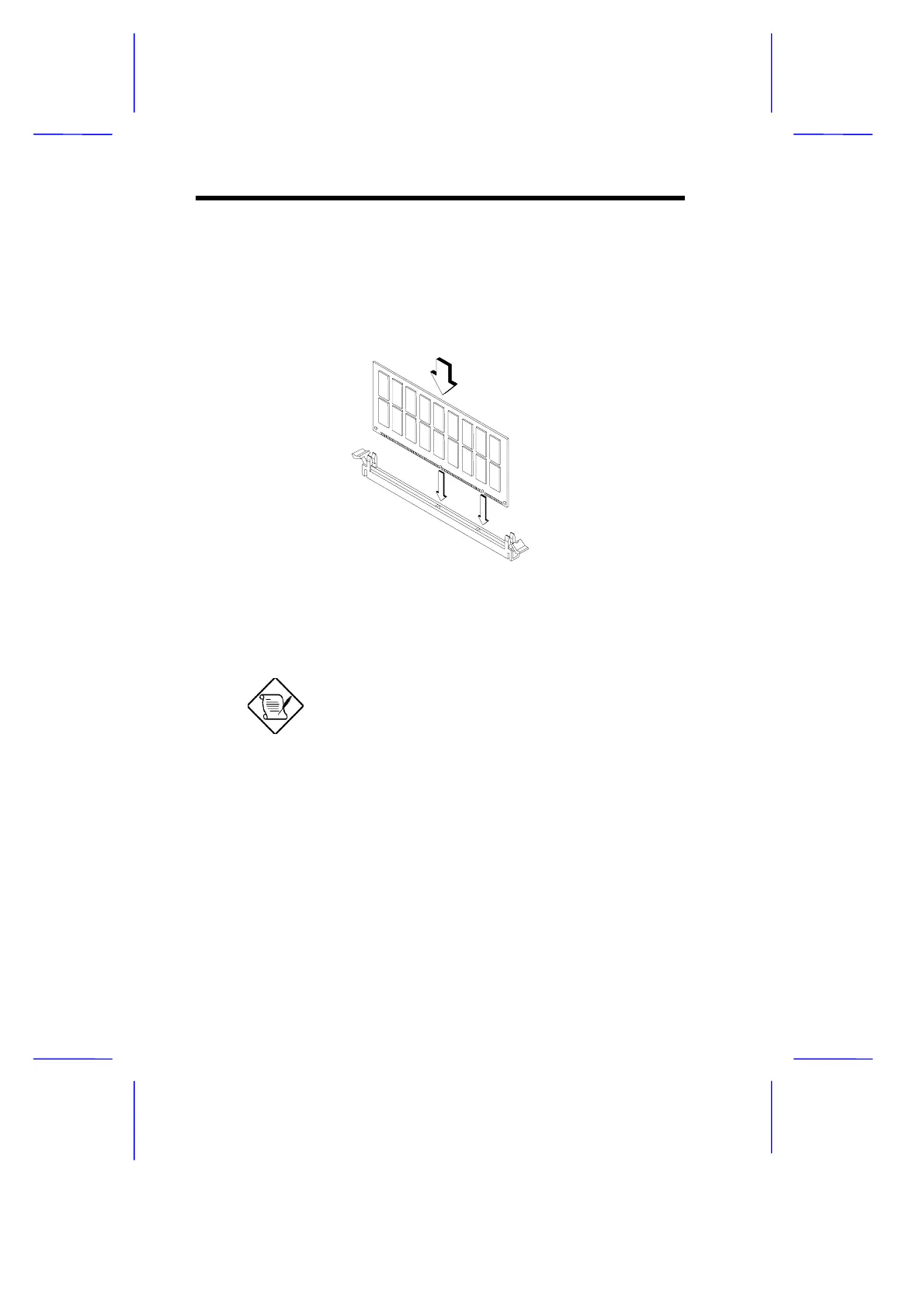
1. Open the clips on the socket.
2. Align the DIMM with the socket.
3. Press the DIMM into the socket until the clips lock into the DIMM.
Figure 3 Installing a DIMM
The DIMM socket is slotted to ensure proper
installation. If you insert a DIMM but it does
not fit easily into the socket, you may have
inserted it incorrectly. Turn the DIMM around
and try to insert it again.
5.2 Removing a DIMM
To remove a DIMM:
1. Press the holding clips on both sides of the socket outward to
release the DIMM.



 To Next Page