V70MA System Board 15
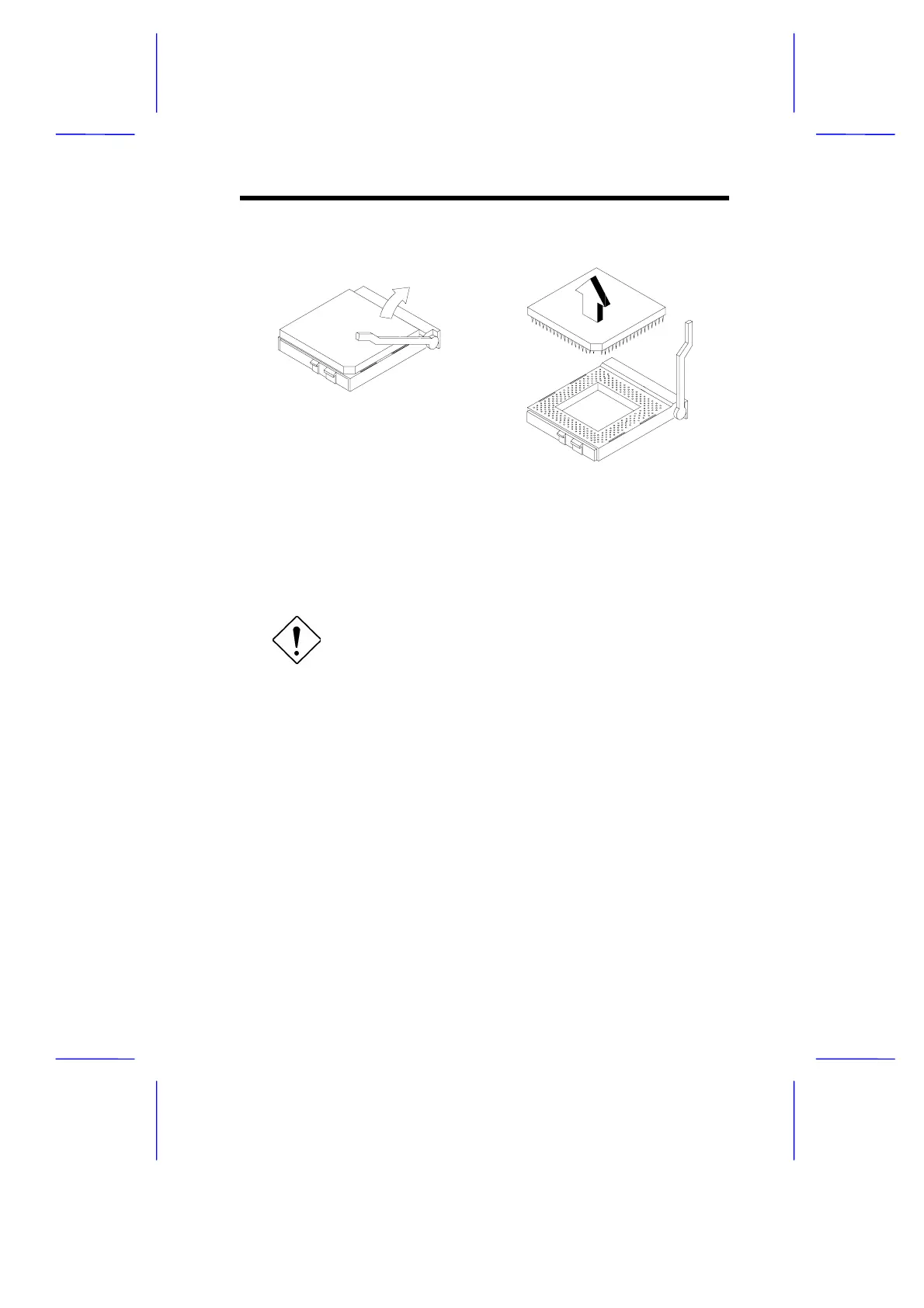
Figure 5 Removing the CPU
7.2 Installing the Upgrade CPU
Observe the ESD precautions when installing
components.
Before you proceed, make sure that there is no CPU installed in the
CPU socket.
Follow these steps to install the upgrade CPU:
1. Pull up the socket lever.
2. Insert the CPU, making sure that pin 1 (indicated by a notched
corner) of the CPU connects to hole 1 of the socket.
3. Pull down the socket lever to lock the CPU into the socket.



 To Next Page