深圳利洋焊接设备 Shenzhen LiYang welding Equipment Co., Ltd
LY
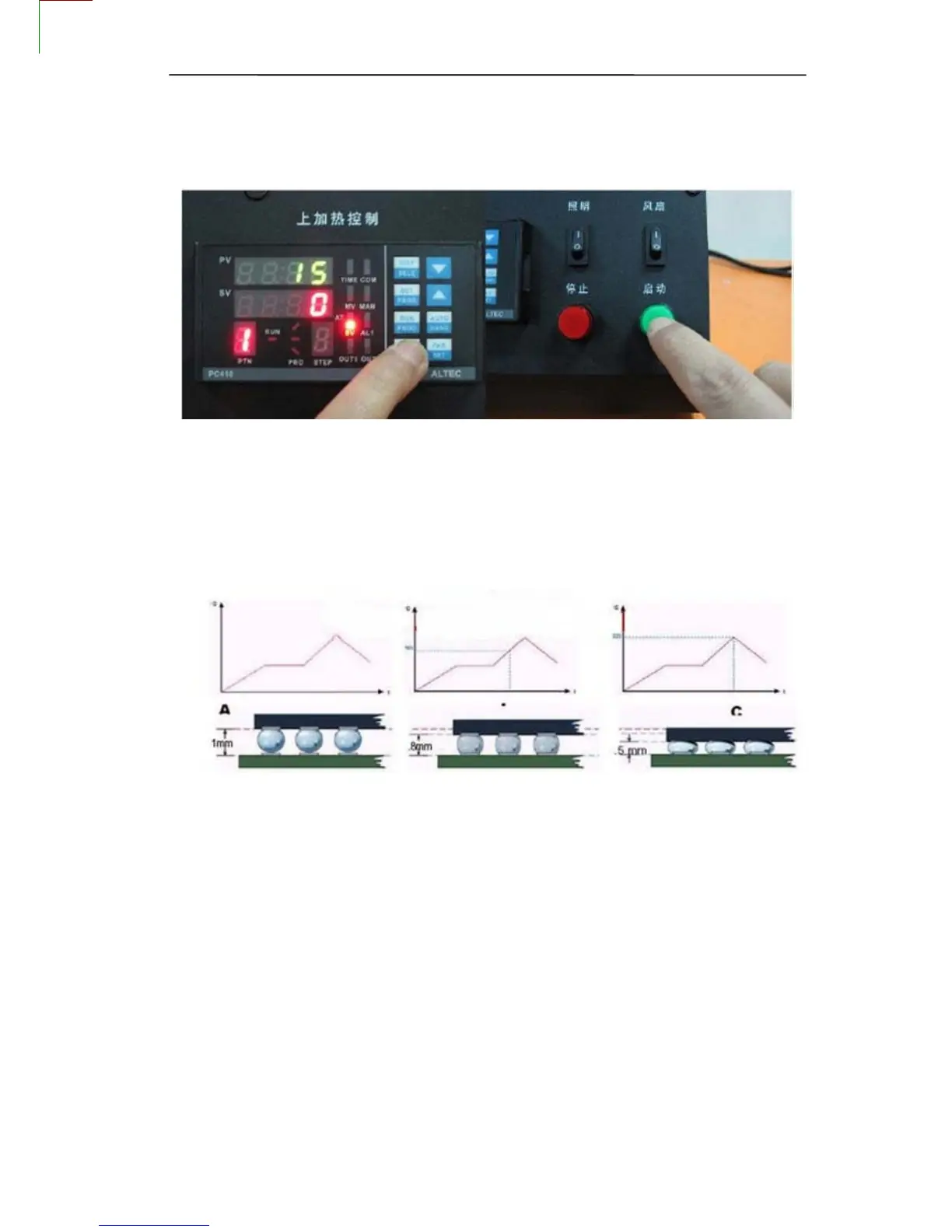
2、Start heating
1、Open power switch.
2、Select the appropriate temperature program segment, and then press the start
switch. In the operation can press the stop switch, stop operating.
3、After the program is running, repairing automatic alarm, and automatically
cut off the heating power, this time you can check the following solder ball BGA chip is completely
liquefied, BGA chips should be subject to settlement, floating state
3、Heating completed
and Sensor
1、 Close Switch for top and bottom ,Then Moving Heating head
2、 Remove motherboard ,Clear insulating tape!
3、 BGA Rework Station Cooled ,Then close Total Power!
Warning:
z If BGA Rework Station NO Cooling ,Do not close the Total Power !
z
When the temperature is not cooled, do not touch heating module!
Prompt
1、 Installed the equipment in stable work platform to use where the air mobility should be small
WWW.LYBGA.COM
15


 To Next Page