9
7 Printer Tool Instruction
Double click to open ‘Printertool.exe’. Here, you can use the software to set printer
parameters and test functions of the printer.
7.1 Communication Setting
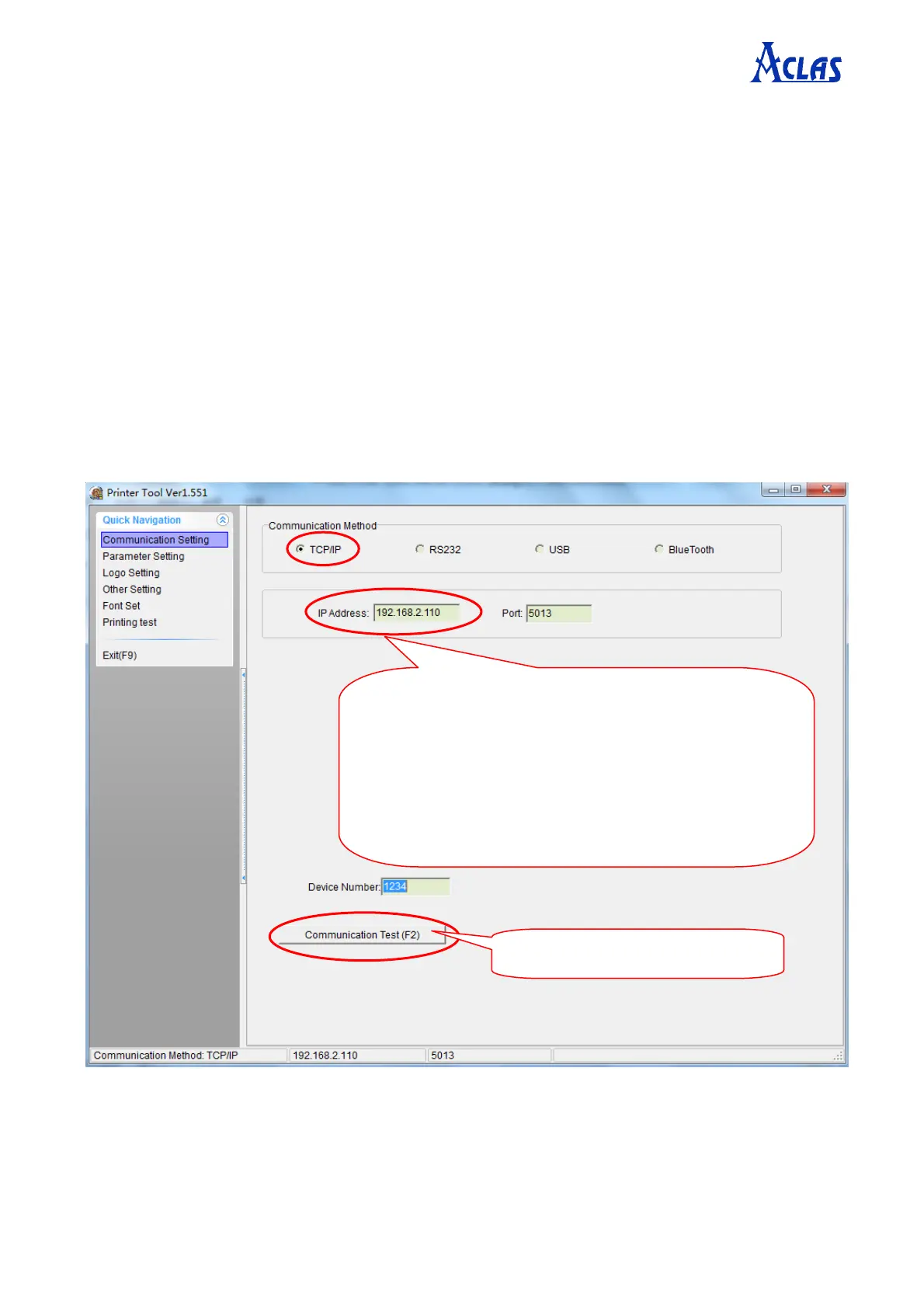
First, you need to do communication test. Click “Communication Setting” in the “Quick
Navigation” menu. Do select the right communication method according to your printer
communication interface.
7.1.1. Ethernet Printer
If your printer is Ethernet, select TCP/IP as the following picture.
Input IP address of the printer, which is displayed on the
self-test page. Note: When you first connect to a printer
using Ethernet, you need to change the IP address of the
connected device so that it is on the same network segment
as the IP address of the printer. After successful
communication, you can change the IP of the printer
through “parameter setting” in printer tool.
Click here to do communication test.


 To Next Page