20
8 Printer Driver Installation Instruction
Note: you need to install this driver only if you do not know how to use the ESC commands.
This driver is suitable for Windows XP system, Windows 7, Windows 8 and Windows 10.
8.1. Printer Driver Installation
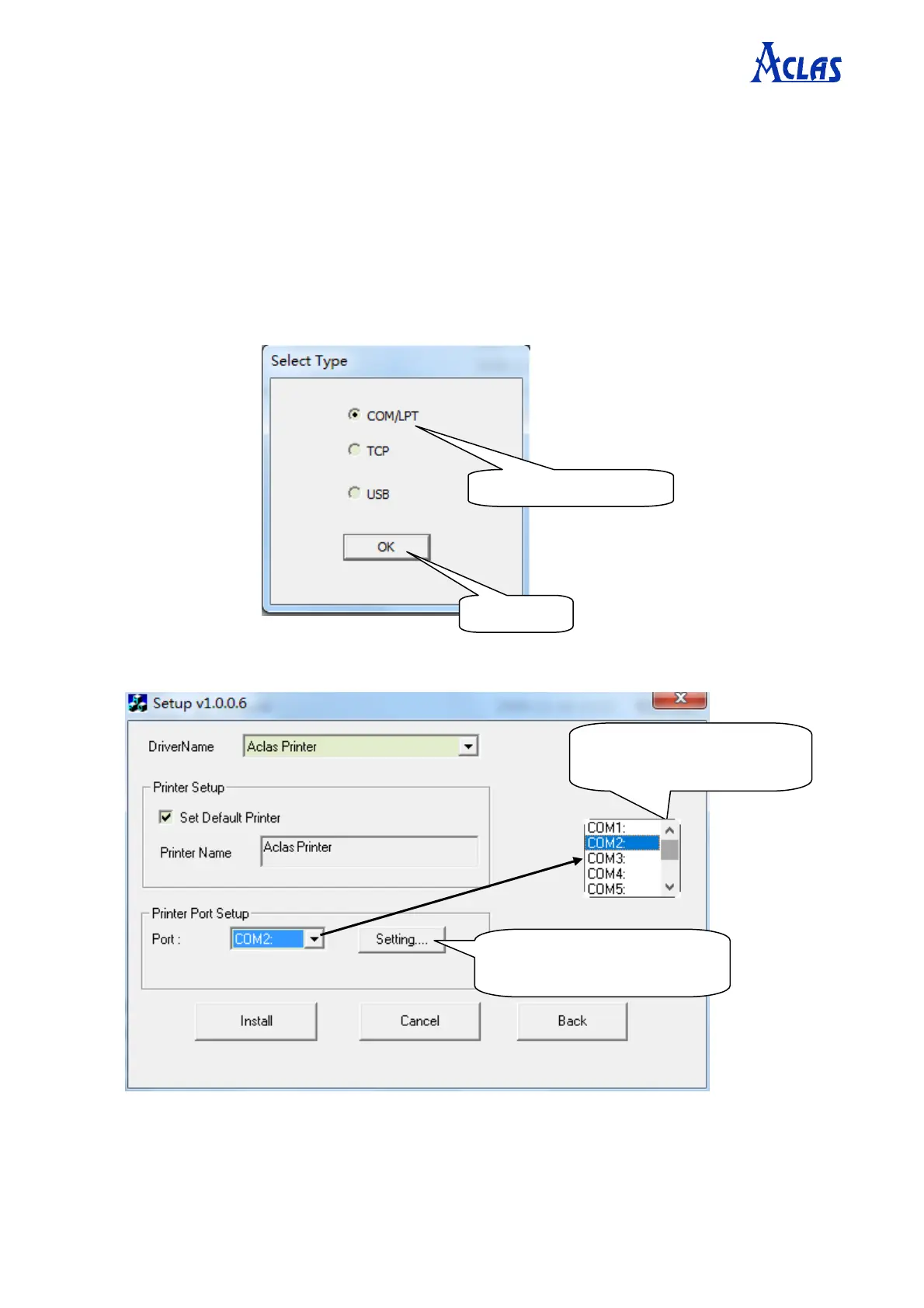
Connect the printer to PC, and double click “Setup.exe” in the file “Aclas Printer” to install the printer
driver.
Type 1:
Click “Setting” to config the
connect ports.
Choose the right connect port
from the drop-down list.


 To Next Page