13
7.2 Parameter Setting
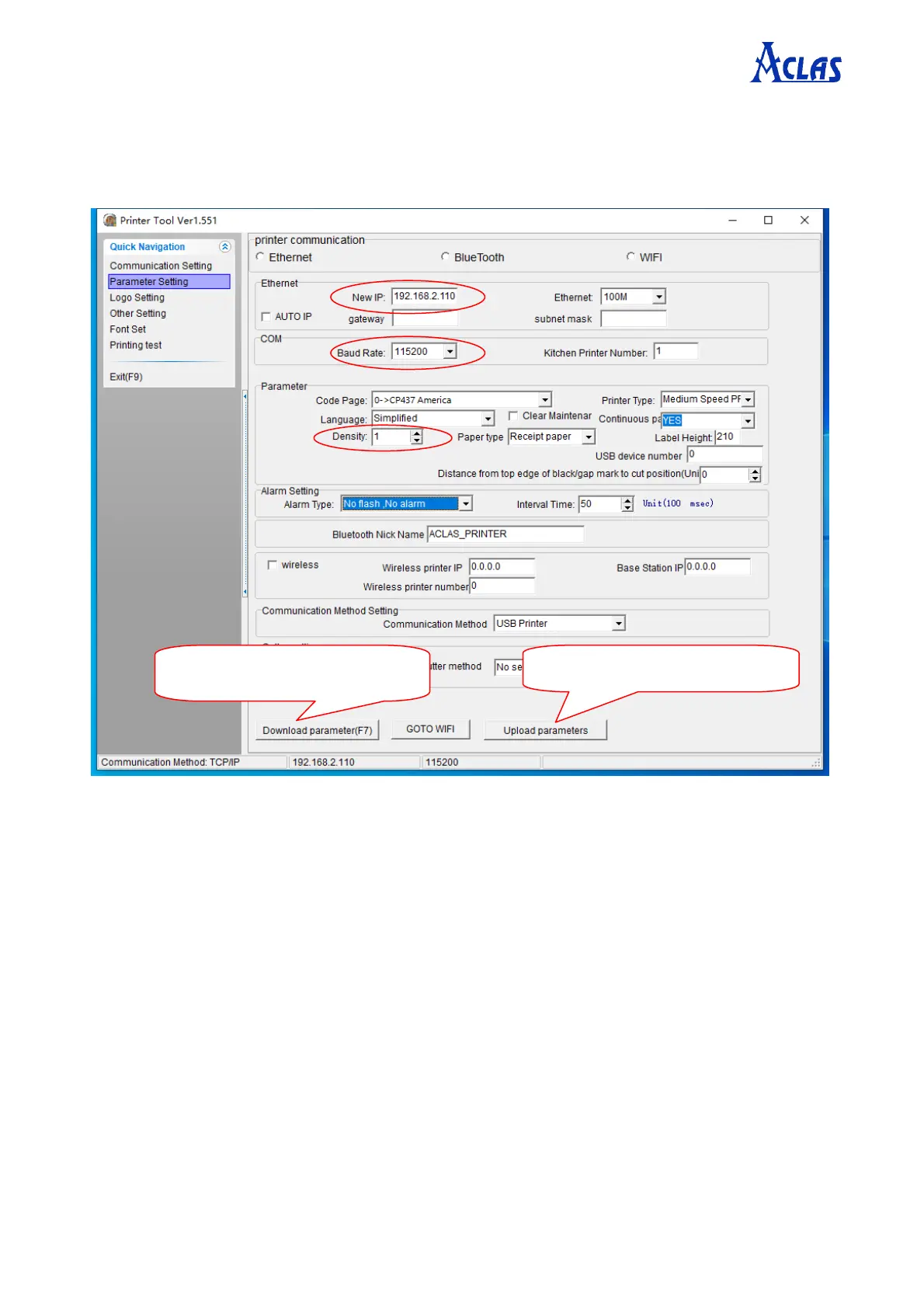
Click “Parameter Setting” in the “Quick Navigation” menu. The window is displayed as
follows.
Note: ②Input the new IP address of the printer, which is on the same network segment of the IP
of the device which the printer connected with.
③Choose the baud rate according to the actual need.
④Density is used to adjust the printer density. It is usually set to 1.
① Click upload parameters.
⑤Click download parameter.


 To Next Page