11-
the MANUAL LED on indicating into Manual Mode.
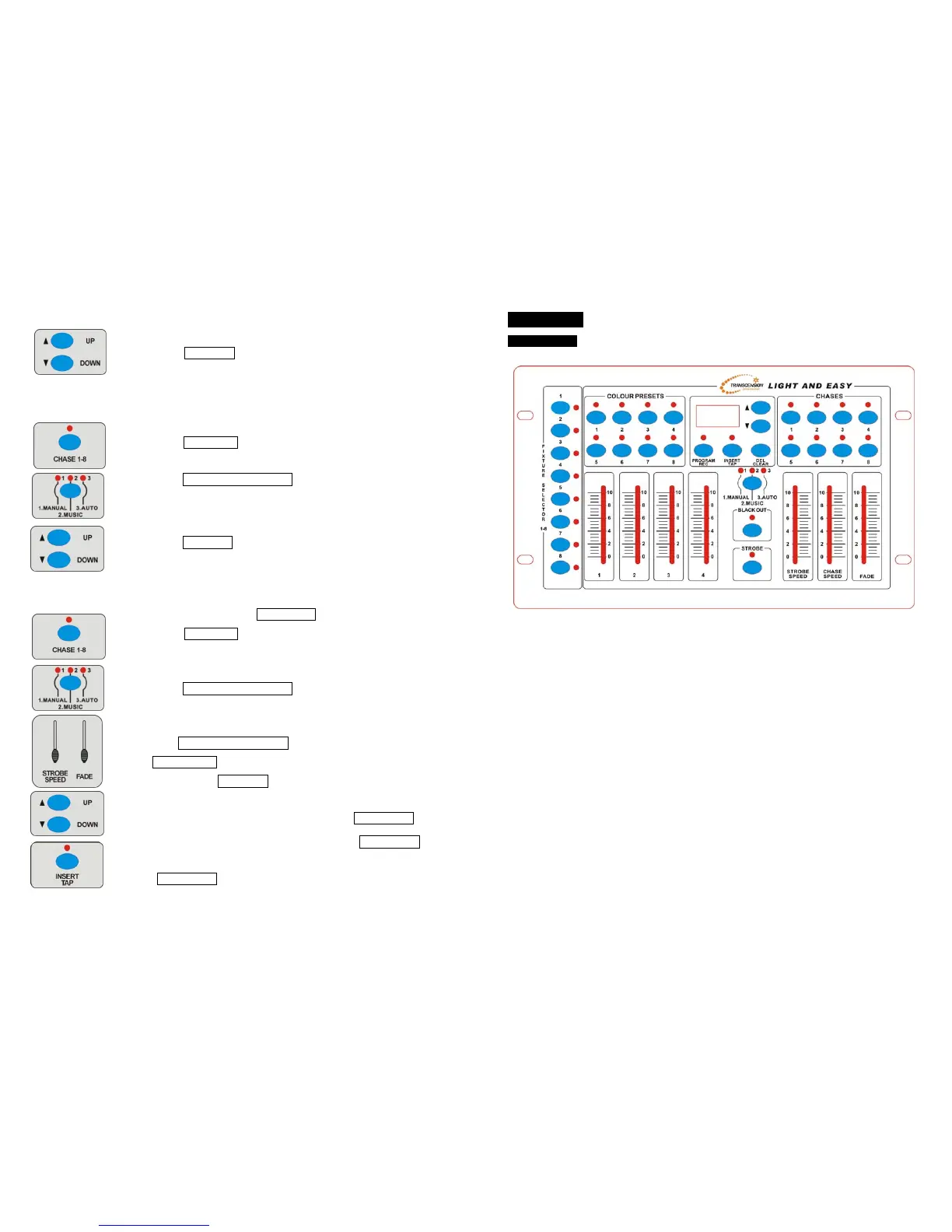
4 Press UP/DOWN button to change the step, UP to the last step,
DOWN to the next step.
B. Sound Mode
1 Insure the LED above BLACK OUT is off.
2 Press CHASE 1-8 button to run the CHASE, the display will
show the present CHASE.
3 Press MANUAL/MUSIC/AUTO button to choose Sound
Mode, the MUSIC LED on indicating Sound Mode.
4 Press UP/DOWN button to adjust the sound sensitivity, the
CHASE will run to the music.
C. Auto mode
1 Insure the LED above BLACK OUT button is off.
2 Press CHASE 1-8 button,the display will show the present
CHASE.
3 Press MANUAL/MUSIC/AUTO button to choose Auto Mode,
the AUTO LED on indicating Auto Mode.
4 Push CHASE SPEED FADER to adjust the CHASE speed, push
FADE FADER to adjust the fade time (the percent of the chase
speed). Press UP/DOWN button to set the run time for CHASE
(It’s useful when you run more than one CHASE at one time).
You can also change the CHASE speed via INSERT/TAP
button. When running the CHASE, press the INSERT/TAP
button and the indicator will blinking, then press the
INSERT/TAP button and the indicator off, the blinking time will
be the CHASE speed.
4-
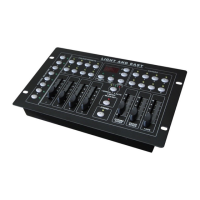
3. Overview
3.1 Front View
FIXTURE SELECTOR 1-8 use to select fixtures
COLOUR PRESETS 1-8 select 32 colours by UP/SOWN button
CHASE 1-8 use to select chase 1-8
PROGRAM/REC enter or exit program/record function
INSERT/TAP Insert one step/set up a tap for chase
DEL/CLEAR delete preset colour, chase or step/clean output,
UP/DOWN select bank, run chase manually, adjust the sound
sensitivity and the times chase auto run.
MANUAL/MUSIC/AUTO use to select running mode, the corresponding LED on
indicating Manual Mode, Sound Mode or Auto Mode.
BLACK OUT use to select black out mode or switch to CA-8 control
FLASH strobe function
FADER 1-4 use to adjust the output of 1-4 channels
STROBE SPEED FADER use to adjust the strobe speed (1-20Hz)
CHASE SPEED FADER use to adjust the chase speed, the run time of each step
can be set from 0.1S to 60M.
FADE FADER use to adjust the fade which show as percentage of the
run time











 To Next Page