6
Device controls
Turn on: Press and hold the touch zone.
Turn o: Navigate to settings and select o to turn o the device.
Navigate the menu: press touch zone to navigate watch menu. Press and hold touch
zone to select or enter a sub menu.
Screen activation: the screen can be activated manually by pressing the touch zone or
automatically by a wrist movement or raising the hand (this function must be enabled in
the Orunning SW application).
Overview of functions
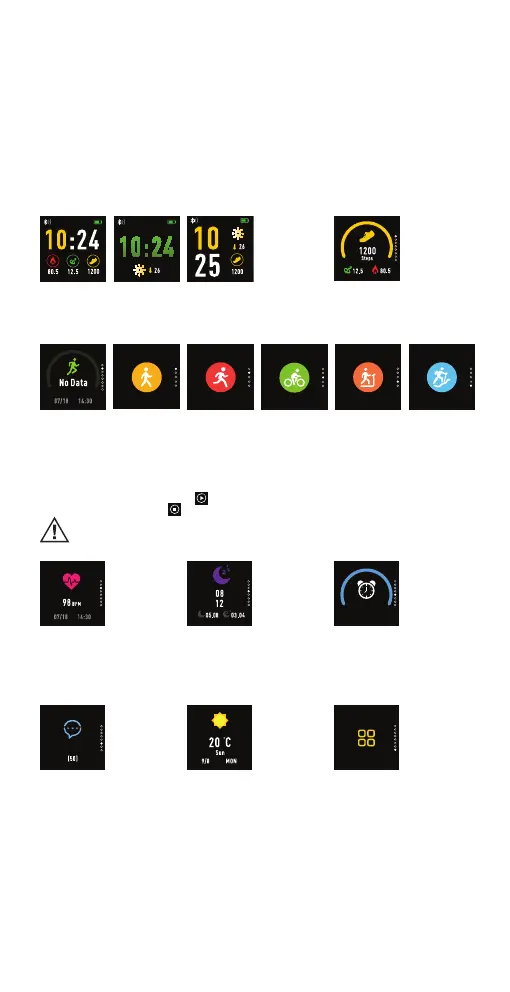
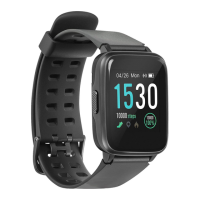
Watch interface: shows time, Bluetooth
status and weather information. Long press
the touch zone to change the watch face.
Pedometer: shows
steps, distance travelled
and burnt calories.
Sport mode – Long press the touch zone to enter the activity menu. You can
choose between 5 activities: walking, running, cycling, indoor running and hiking.
Long press to choose the activity and countdown will start automatically.
During sport session:
icon and long press touch zone.
icon and long press the touch zone to stop the activity
If the activity time will be less than 1 minute data will not be saved.
Heart rate: Long press
touch zone to test your
heart rate – beats per
minute (BPM) value
Sleep monitor: The
smartwatch will monitor
your sleep automatically.
Alarm: Long press the
touch zone to check the
alarms which you have set
in the Orunning SW
application
Notification
Notications: Long press
to read the notications
on the smartwatch. Make
sure notications from
your chosen apps and
services are allowed in
Orunning SW application
Weather: connect your
smartwatch to Orunning
SW application to get the
weather information.
More: other functions
such as stopwatch, music
control, sedentary
reminder, nd phone,
about and power o.


 To Next Page