30 31
EN
EN
40005972 40005972
C. To start the appliance, follow the same procedure as for an electric towel-
dryer.
If the central heating system is equipped with a circulation pump which is inde-
pendent of the boiler, it must in all circumstances be turned off (risk of siphoning
the heating unit in the event that connections are not perfectly watertight).IMPORTANT
The appliance should only be turned on when properly lled with water (failure to com-
ply may invalidate the guarantee).
IMPORTANT This radiator is equipped with a resistance which has an integrated
power shut-off and fuse. Using the radiator without water will permanently damage
the fuse as well as the resistance. In this case it must be changed though "not
under the manufacturer’s guarantee". Using the radiator only partially lled with
water causes the heating function to shut off automatically. Alternate function will
continue as long as the main heating section is not properly lled.
If you notice that the electrical part of your towel dryer is activated, but that it
fails to heat up inspite of thermostat demand or positive working operation, carry out
the following operations:
1) Ascertain that your radiator is full of water (see paragraph B).
2) Press button ❶ (see chapter 4.1) to stop current supply and stop the elec-
trical function for 30 to 60 minutes. This operation is necessary to cut off the thermal
safety device.
3) Press button ❶ again: the radiator is ready to heat up properly.
4. Using your thermostat
4.1 Overview
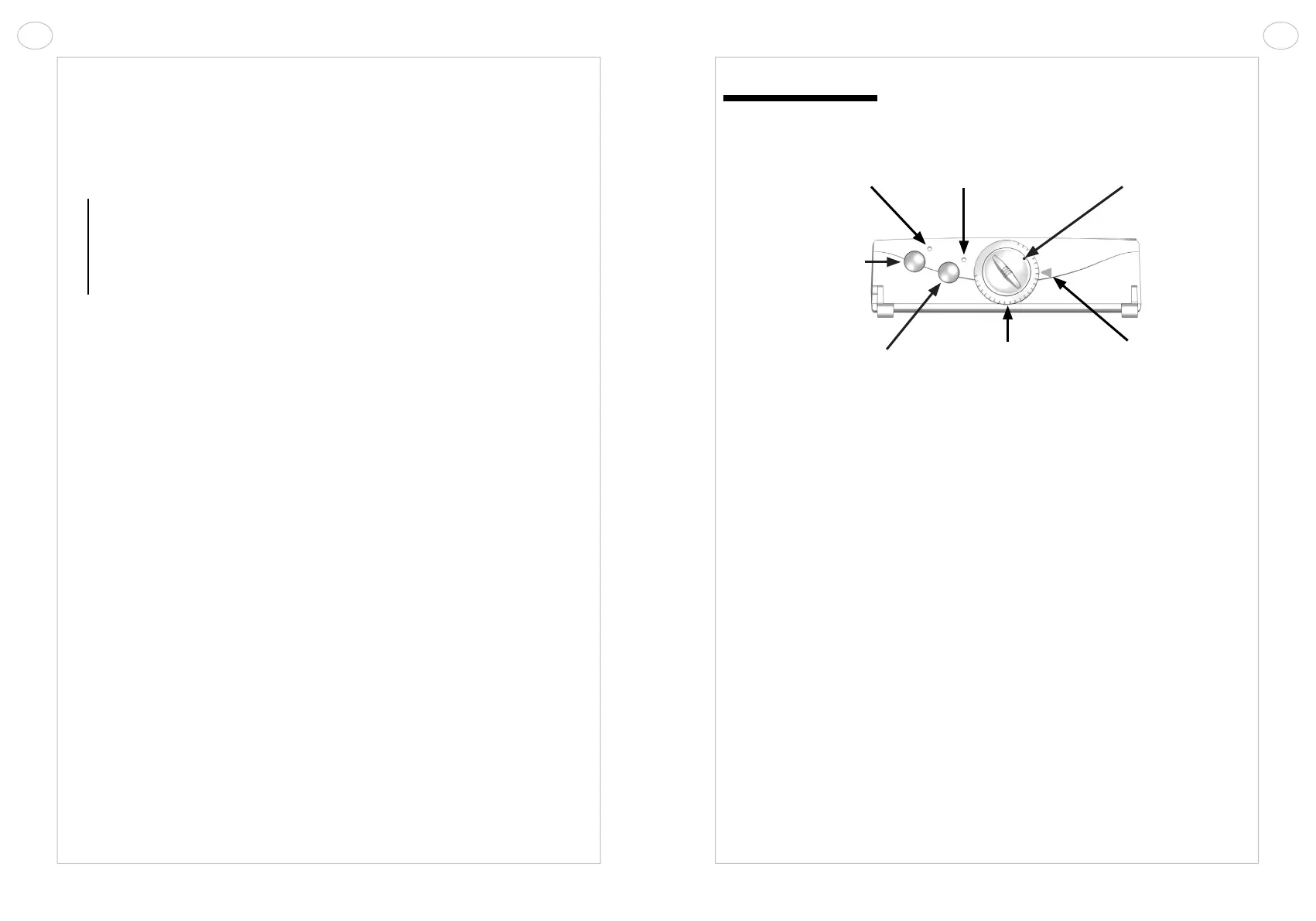
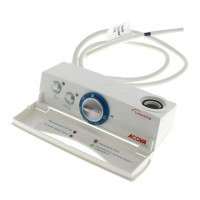
KEY TO INDICATOR LIGHTS:
❷ Light indicating appliance is on:
• Red: appliance on
• Off: heating stop
❹ Functioning indicator:
• Red: the set temperature is higher than that for the room; the appliance is
heating up.
• Flashing red: the booster function is on.
• Green: the radiator is heating up in reduced mode programmed by pilot wire
(ECO, COMFORT -1°C and -2°C).
• Off: the set temperature has been reached, the appliance has stopped
heating.
• Continuous green: the appliance is in freeze protection mode, programmed
by pilot wire.
4.2 Setting the temperature
Turn the appliance on by pressing the Heating stop/start button ❶. The red
indicator ❷ will light up to show that the appliance is on.
Thermostat setting: this function allows you to select the ambient temperature
of the room.
Turn the knob for temperature setting ❻ clockwise to activate the heating func-
tion. The red light ❹ comes on when the setting exceeds the ambient temperature.
❶ Heating stop/
start button
❺ Adjustment
dial
❷ On indicator
❻ Knob for
temperature setting
❼ Setting marker
❸ Two-hour booster
button TIMER PROG
❹ Functioning
indicator



 To Next Page