37
3.4.1 Away mode
This mode is used to define a fixed
temperature (between 5 and 15°C) to be
maintained for an adjustable period
(between 1 and 365 days).
When in automatic mode (AUTO), press the
SUITCASE button ( ).
The number of days will blink. Press + or - to
select the desired number of days then press
OK to confirm.
The temperature will blink: set the desired
value using the + and - buttons.
EXAMPLE If you are leaving on 10 January
and returning on 19 January, select 9 days.
Automatic mode will resume at 00:00 on 19
January. Press
OK to confirm. The tempe-
rature will blink. Press
+ or - to set the
temperature. Press
OK to confirm.
To cancel away mode (e.g. if you return earlier
than expected), press button
C or turn the dial.
3.4.2 Mode switch
When in AUTO mode, you can switch mode
(from to or vice-versa) until the next
scheduled mode change by pressing the
button.
When in automatic mode (AUTO), press the
button.
EXAMPLE If you are in ECO mode ( ),
pressing the button will switch the
thermostat to
COMFORT mode ( ).
To cancel the mode switch, press the
button again or turn the dial.
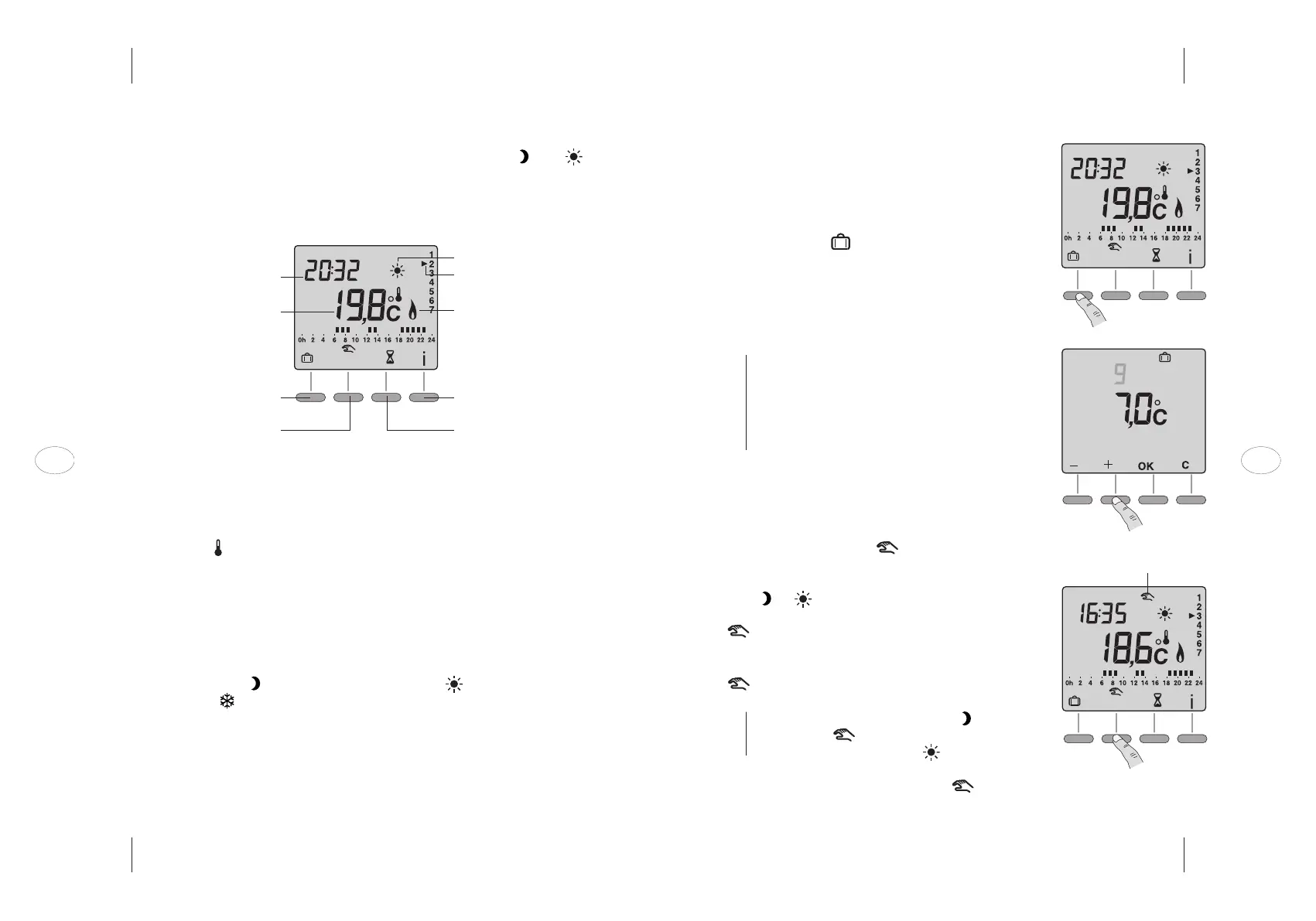
Mode switch active
3.4 Automatic mode
This mode should be used if you wish to change between modes ( and )
automatically to suit your schedule. When in this mode, your appliance is
operated according to the program entered previously (see section 3.3).
TURN THE DIAL TO AUTO
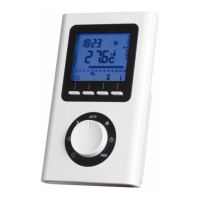
On first use, the display will show the room temperature measured by the
thermostat. The symbol is displayed above the °C symbol.
Press the i button to display the setpoint (desired) temperature.
It is possible to change which temperature is shown on the display (see section
4.2):
– in automatic mode: setpoint temperature
– press the i button: room temperature
If you wish to deviate from the program (see section 3.3), you can switch to
permanent ECO mode ( ), permanent COMFORT mode ( ) or permanent FROST
PROTECTION
mode ( ) by turning the dial to the desired mode.
Time
Room temperature
Away mode
Mode switch
Current mode (e.g. Comfort)
Day
Heat command active
Room temperature/
setpoint temperature display
Manual boost mode
36
EN EN



 To Next Page