ACOWA INSTRUMENTS, Industrivej 10, 8305 Samsø - VAT-no: 36562919 – mail: info@acowa.dk – Phone: +45 7221 7979
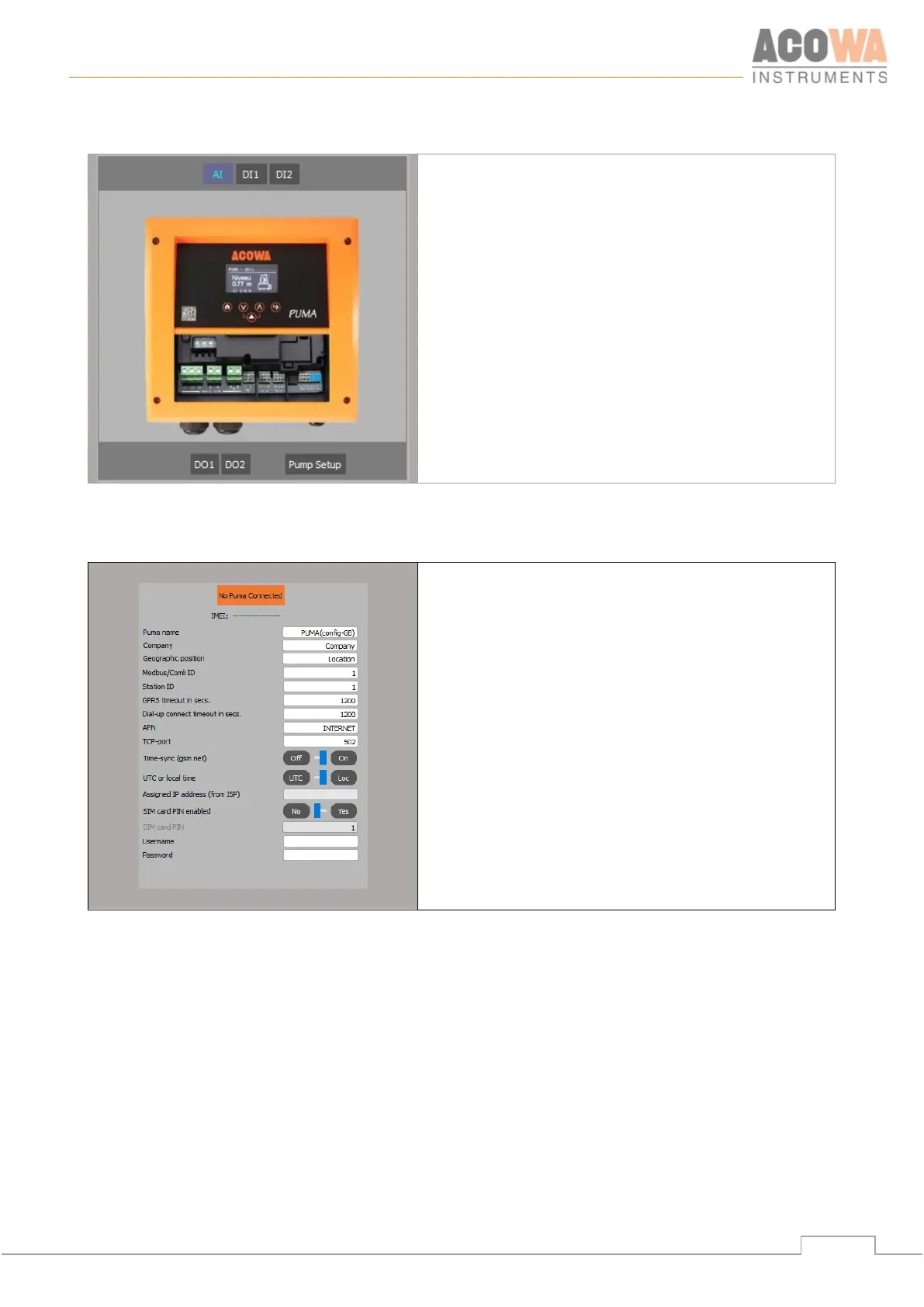
Settings selection
Here you select which part of the PUMA device's settings
is to be displayed in the settings window on the right.
Pump setup. The function menu for the 1st
start-up of PUMA
Analog input settings
Settings for inputs 1-2
Settings for outputs 1-2
PUMA details
Here you are notified if a PUMA is connected and what
types of connection are involved:
• USB on COM port
• TCP at Ip address / port
At the same time, details of the PUMA device name and
location are displayed/set, as well as communication
settings.
• APN
• TCP-port



 To Next Page