ACOWA INSTRUMENTS, Industrivej 10, 8305 Samsø - VAT-no: 36562919 – mail: info@acowa.dk – Phone: +45 7221 7979
Contact device via TCP/IP
To activate the Device settings, click on the following symbol:
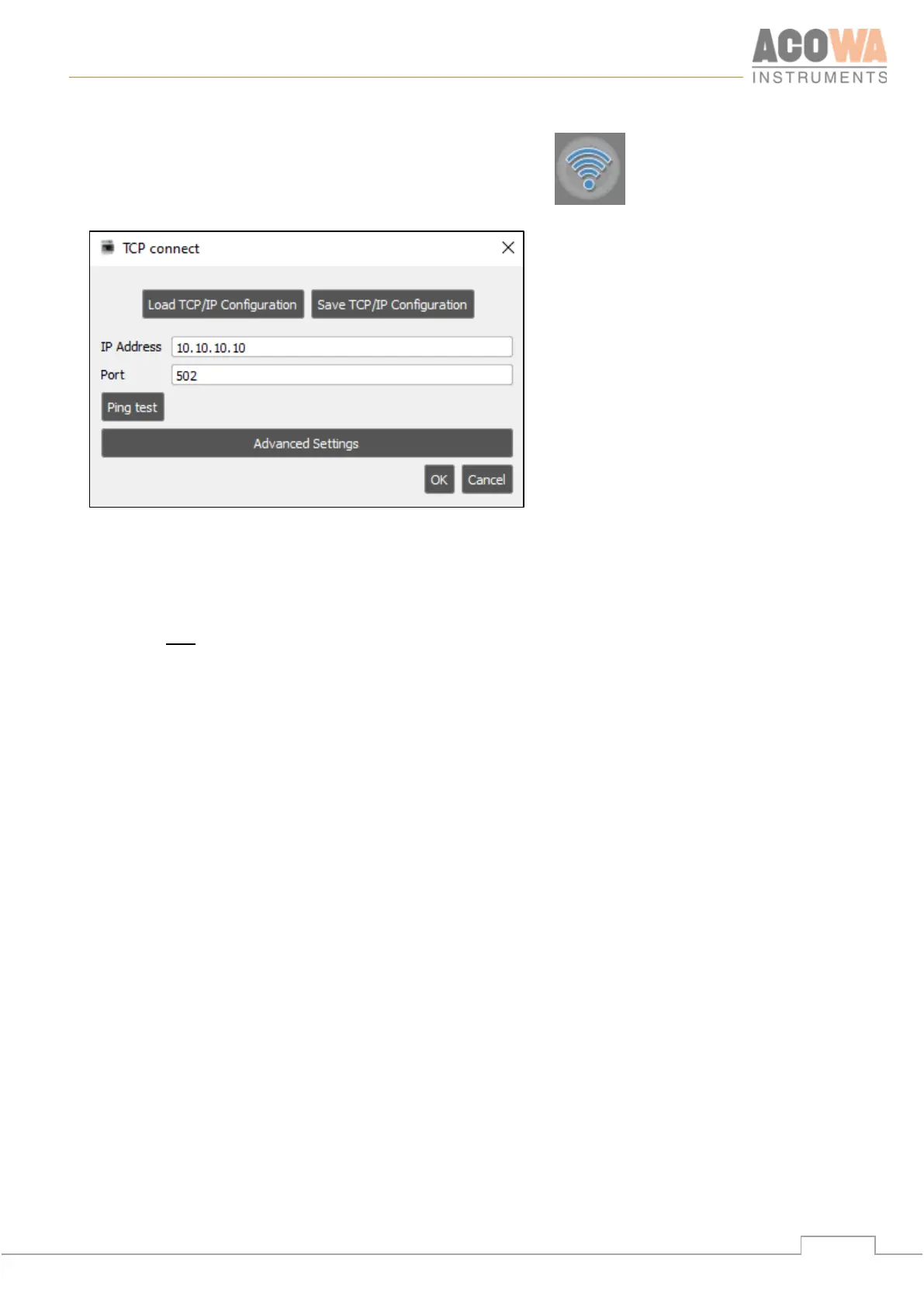
This results in the following window.
Enter the IP address and port to get remote control of PUMA via TCP/IP. Upon contact, the program located
in the PUMA is retrieved. It is then possible to either make changes online in the PUMA or save a copy of the
current program locally and then work on it.
If you want to save your IP configuration, this is done by selecting "Save TCP/IP configuration". Note, be
aware that only the IP configuration is saved and not the rest of the PUMA setup. It is also possible to
retrieve saved IP configurations using "Retrieve TCP/IP configuration"



 To Next Page