ƶƳ
Removal and Assembly of Fan Motor
Remarks: Before removing the fan, make sure to cut off the power firstly.
Step Illustration Handling Instruction
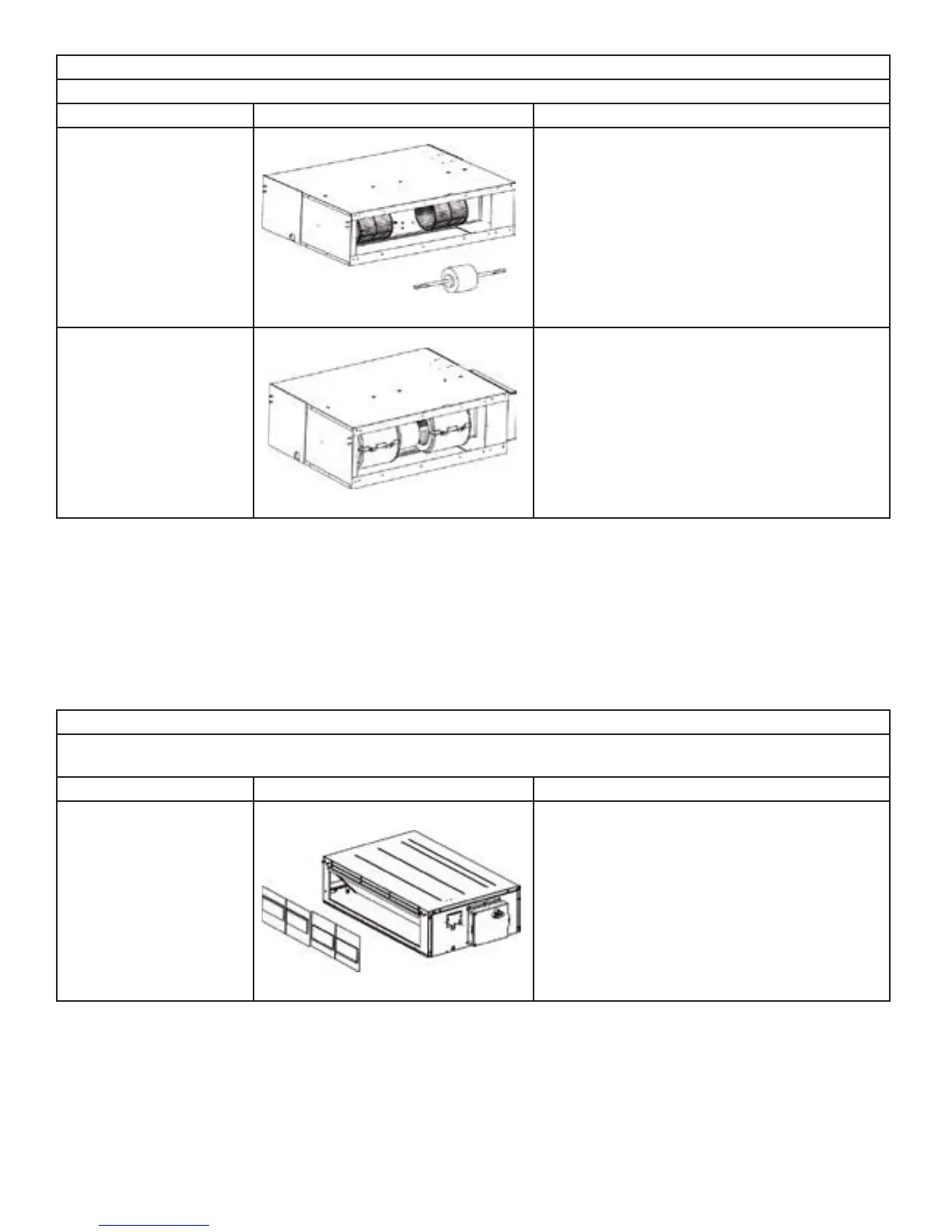
6. Replace the motor
Firstly, disengage the motor from motor support.
Then, sequentially disengage the fan sub-assem-
bly form the motor shaft. Remove the motor from
the air inlet and replace with new motor. In which,
for the motor with automatic motor support, the
motor support shall be removed in advance and
then changed to the unit.
7. Assemble the unit in
reverse to the disassembly
procedures
Assemble the unit in reverse to the disassembly
procedures and energize it for testing.
Disassembly of filter screen for return air
Remark: Make sure that the power supply is cut off before disassembling and protect all the parts during disassembly. Do
not put filter screen near the high temperature heat source..
Step Illustration Handling Instruction
Disassembly of filter screen
for return air
Compress the filter screen for return air down on
the guide slot sponge, and remove according to
the direction shown by the arrow. There are 2 filter
screen for return air.



 To Next Page