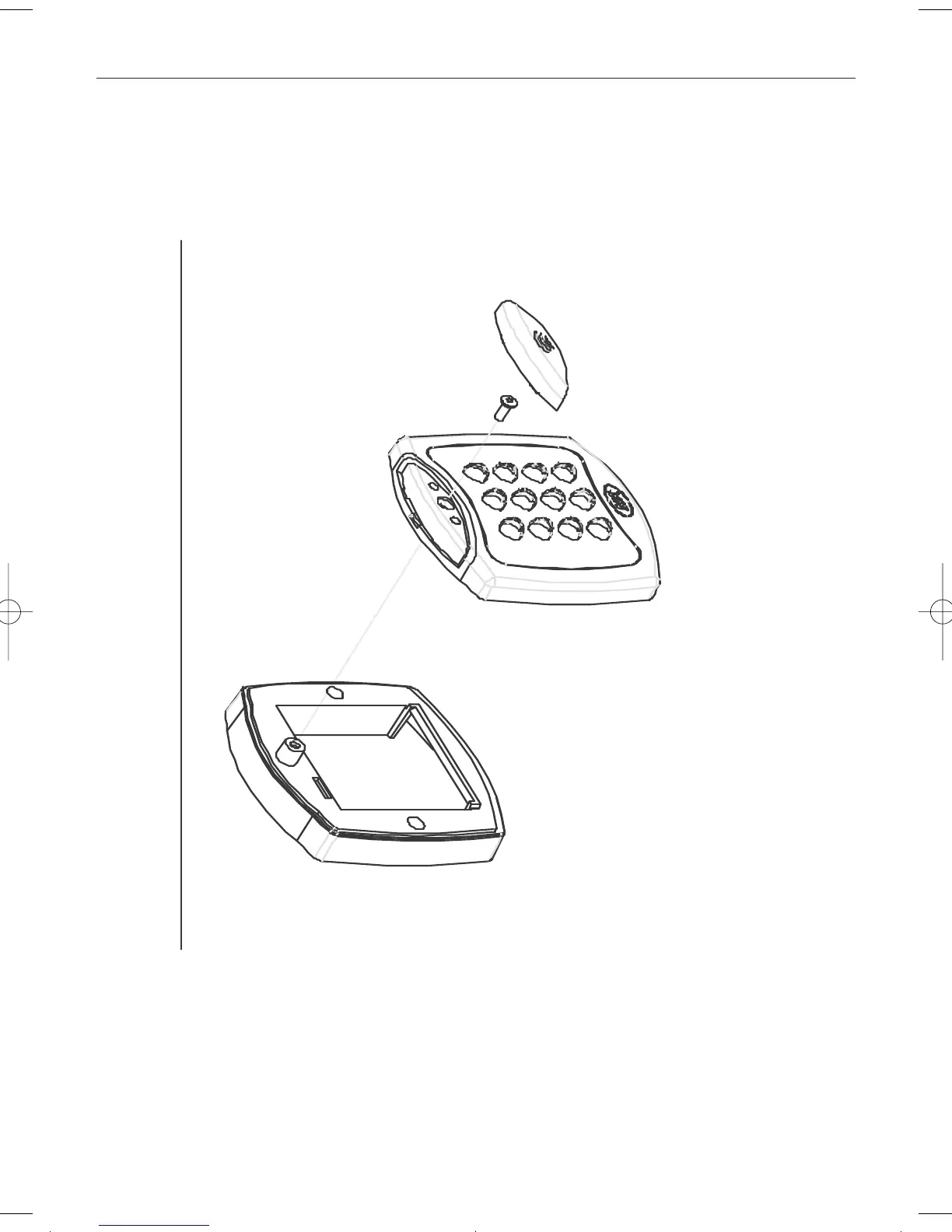
Mounting instructions for surface mount unit
Place the Reader / Keypad onto the
surface mount collar and clip down into
place.Use the security screw supplied to
attach the unit to the surfce mount colla
Fig 3
The surface mount collar is
mounted on the wall using
the fixing kit supplied in
the box.
Security screw supplied with
the unit.
Place the cap onto
the unit and push
firmly into place.
4
ACT5prox Operating and Installation Instructions
Act 12pp ACT5prox:Act 20pp 1.1 English 14/11/2007 13:10 Page 11


 To Next Page