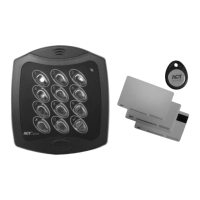
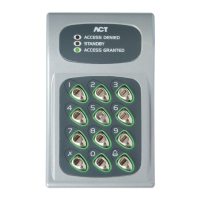
ACTentry A10 Operating and Installation Instructions
4
Unit C1, South City Business Centre, Tallaght, Dublin 24, Ireland
Tel: 353-1-4662570 Fax: 353-1-4520427 UK Locall: 0845 300 5204
Web: http://www.accesscontrol.ie E-mail: tech@accesscontrol.ie
Copyright©2008 Access Control Technology Ltd.
Quick Programming Guide
(For typical System)
1. Enter Programming Mode.
On the digital keypad press button
. Input the programming code (default is 9999).
(e.g Enter Programming Mode: -9999)
2. Change User 1 Code
On the digital keypad: Press Button 0, then Press Button 1 (for User 1). Input the new User 1
code (4 digits). (e.g. Change User 1 Code to 4321: -9999-0-1-4321- )
3. Change Programming code
On the digital keypad: Press Button 0, then Press Button
. Input the new programming code
(4 digits). (e.g. Change a Programming Code to 9876: -9999-0-tick-9876- )
4. Exit Programming Mode
On the digital keypad press button
. The yellow LED indicator stops ashing. Programming
code has been exited.
The ACTentry A10 is now ready for normal use. Test the operation of the code.
Note: The ACTentry A10 may be returned to its factory default condition at any time by entering the
programming mode and pressing
button three times.
For Door 2 Operation
1. Enter Programming Mode. (e.g Enter Programming Mode: -9999)
2. Change User 2 Code
On the digital keypad: Press Button 0, then Press Button 2 (for User 2). Input the new User 2
code (4 digits) (e.g. Change User 2 Code to 4441: -9999-0-2-4441- )
3. Assign User 2 to Door 2
On the digital keypad: Press Button 1, then Press Button 2 (for User 2), then Press Button 2 (for
Door 2). (e.g. Assign User 2 to Door 2: - 9999-1-2-2- )
4. Exit Programming Mode
User2code will now activate Door 2 Relay.



 To Next Page