Hardware Manual
24
A45, A46, A421
This section describes how to waterproof the Ethernet cable of A45, A46 and A421 models using
the bundled cable gland.
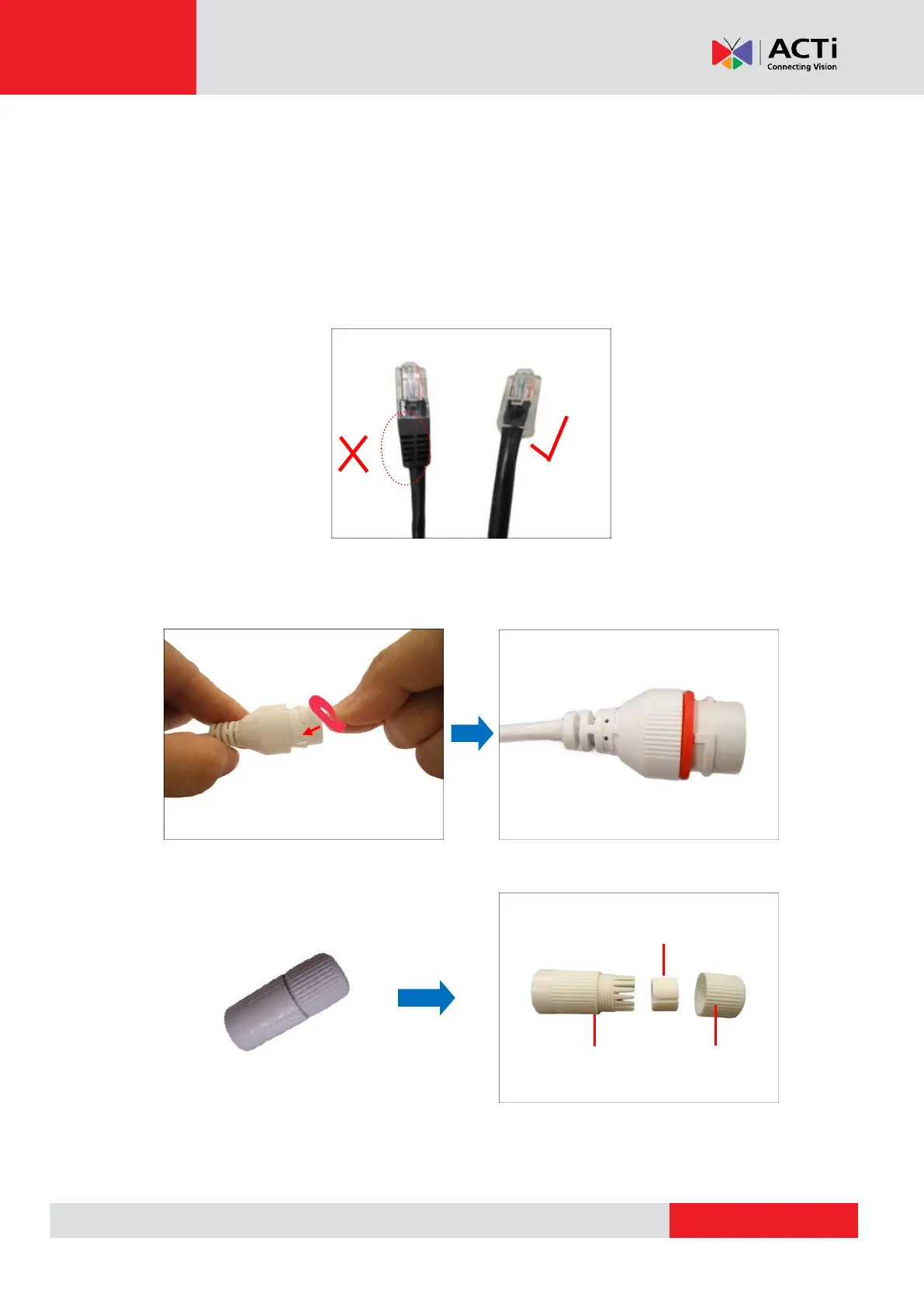
Before connection, prepare an exterior-grade Ethernet cable with RJ-45 connector but without
sleeves.
NOTE: The images below are for reference only. The color or actual cable may slightly vary.
Perform the following to waterproof the “pigtail” using the cable gland:
19. Attach the washer to the Ethernet connector of the camera.
20. Detach the clamping nut and sealing insert from the gland body:



 To Next Page