Hardware Manual
12
Mount the IP Outdoor Dome (Surface)
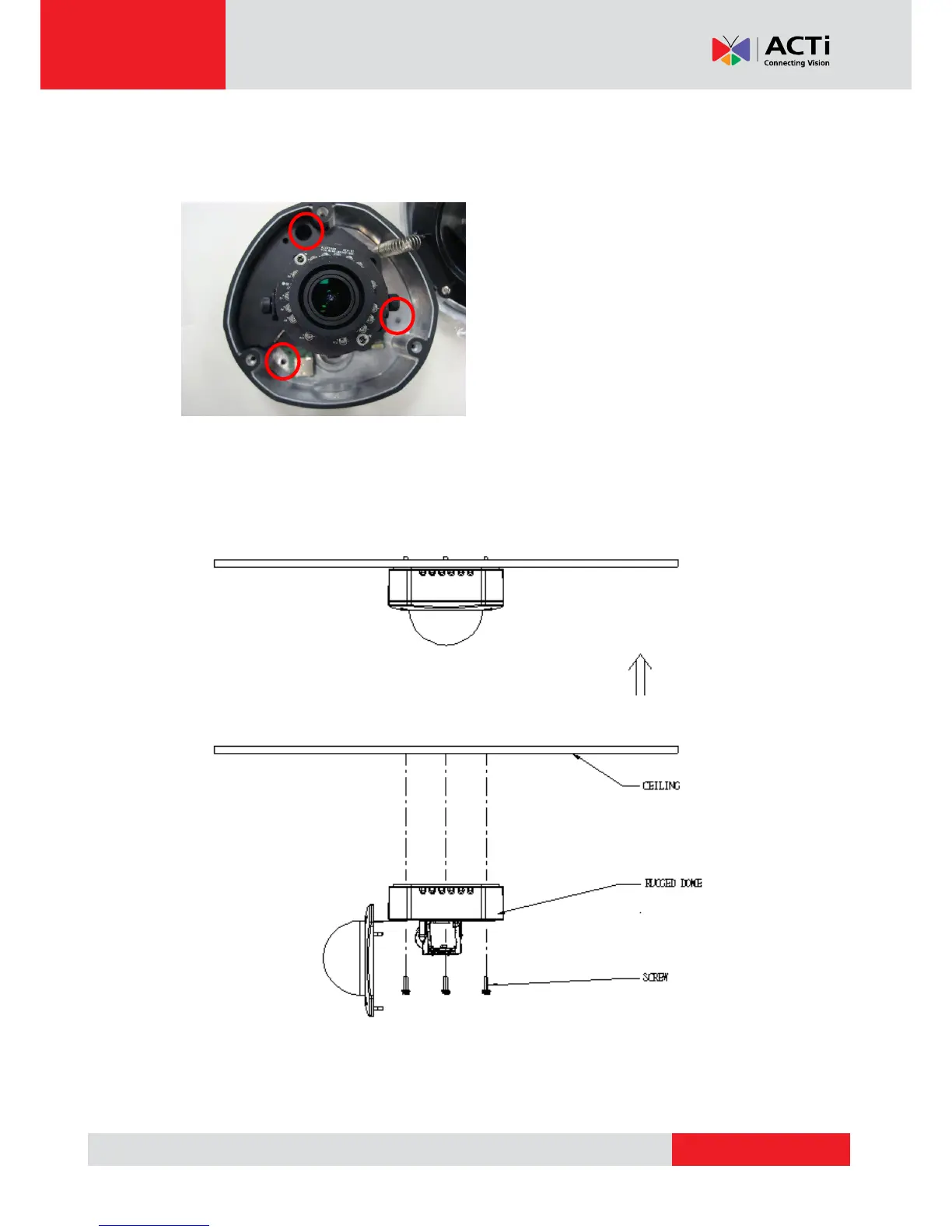
This camera can be surface mounted without needing any additional accessories. Use the screws
from the screw pack and mount the camera to the surface using following screw holes.
If you need to drill the holes to the surface first, such as concrete wall or ceiling, please use the
drill template, provided in the camera package.



 To Next Page